← Browse tech dealsTECH DEAL COMPASS
SSD vs HDD in 2026: Is There Any Reason to Still Buy a Hard Drive?
With high-speed NVMe solid-state drives dominating laptops, gaming PCs, and consoles, does mechanical spinning-disk storage still have a place in 2026? We break down the real price-per-terabyte math, home NAS servers, cold backups, modern gaming requirements, and live storage deals.
Tech Deal Compass editorial · Storage Deep Dive (Updated September 20, 2026) · 7 min read
The Quick Take: Is the Hard Drive Truly Dead?
For your primary PC, laptop, or gaming console: Yes, 100%. Never install an operating system, games, or active desktop applications on a mechanical hard drive in 2026. PCIe 4.0 and PCIe 5.0 NVMe SSDs are literally 5,000 to 10,000 times faster in random seek times, and modern games explicitly mandate SSDs for streaming assets.
For bulk archiving, NAS servers, and offline backups: Absolutely NOT. When you need 8TB to 24TB+ of capacity, mechanical enterprise and NAS hard drives cost $13 to $16 per Terabyte. The equivalent flash SSD storage costs $75 to $120+ per Terabyte. Storing 40TB of data on SSDs costs ~$3,500; doing it on HDDs costs under ~$600.
The Speed Divide: Why Flash Obliterated Mechanical Platters
To understand why hard drives vanished from laptops and modern PCs, look at the physical physics of the drive:
- Mechanical Hard Disk Drives (HDDs): Contain spinning aluminum or glass platters rotating at 5,400 to 7,200 RPM. A tiny actuator arm with a magnetic read/write head must physically swing across the platters to find data. This physical movement creates a 10 to 15 millisecond latency delay for every single request.
- Solid State Drives (SSDs): Have zero moving parts. Data is read electronically from microscopic 3D NAND flash memory cells across 4 to 8 parallel channels, yielding access latencies under 0.03 milliseconds.
Booting Windows 11 or loading a game requires accessing tens of thousands of tiny, scattered configuration files, DLLs, and registry keys. A hard drive grinds and thrashes its mechanical arm, causing the dreaded “100% disk usage” system freeze. An NVMe SSD accesses all of them instantaneously.
Performance Metric Comparison: SSD vs. HDD in 2026
| Performance Metric | Traditional 7,200 RPM HDD | PCIe 4.0 / 5.0 NVMe SSD | Real-World Impact |
|---|
| Sequential Read Speed | 160 – 260 MB/s | 5,000 – 14,800 MB/s | SSDs transfer large video files up to 50× faster |
|---|
| Sequential Write Speed | 150 – 240 MB/s | 4,500 – 12,500 MB/s | Sustained writes finish in seconds rather than minutes |
|---|
| Random 4K Read IOPS | 75 – 200 IOPS | 800,000 – 1,500,000 IOPS | SSDs are 5,000× to 8,000× faster for OS and software launch |
|---|
| Seek Time / Latency | 10.0 – 15.0 ms | 0.02 – 0.05 ms | Zero mechanical lag; instantaneous file access |
|---|
| Windows 11 Boot Time | 45 – 120 seconds | 6 – 10 seconds | Instant-on experience vs. waiting through desktop stutter |
|---|
| Game Asset Streaming | Severe stutter & texture pop-in | DirectStorage 1.2 instant load | Required by modern 2024–2026 game engines |
|---|
| Shock / Drop Resistance | Fragile (head crashes on impact) | Immune to physical drops | SSDs survive drops from 6 feet with zero data loss |
|---|
| Noise & Vibration | Audible clicks, hums, and vibration | 100% completely silent | No noise in quiet rooms or home offices |
|---|
The Price-per-Terabyte ($/TB) Curve: Where HDDs Still Win
If SSDs are superior in every performance metric, why do Seagate and Western Digital still manufacture tens of millions of mechanical hard drives every quarter?
The answer is unmatched bulk economics. At lower capacities (1TB to 2TB), SSDs have become so affordable that hard drives make no sense. But once you scale past 8TB, hard drives crush flash memory:
| Storage Capacity | Typical HDD Cost ($/TB) | Typical SSD Cost ($/TB) | Verdict & Recommendation |
|---|
| 1 TB | $45 ($45 / TB) | $65 ($65 / TB) | Buy SSD. Saving $20 on an HDD makes zero sense. |
|---|
| 2 TB | $60 ($30 / TB) | $110 – $140 ($55 / TB) | Buy SSD. The massive speed leap easily justifies the modest $50 gap. |
|---|
| 4 TB | $85 ($21 / TB) | $220 – $290 ($55 / TB) | Toss-Up: SSD for games/active work; HDD for bulk storage. |
|---|
| 8 TB | $130 ($16 / TB) | $600 – $750 ($75 / TB) | Buy HDD. SSD costs 4.5× more for bulk archiving. |
|---|
| 16 TB – 20 TB | $240 – $290 ($14 / TB) | $1,500 – $2,200 ($100+ / TB) | Buy HDD. The undisputed domain of mechanical enterprise drives. |
|---|
| 48 TB (4-Bay NAS Array) | ~$750 total | ~$4,500 total | Hard drives save you nearly $3,750! |
|---|
The 4 Valid Reasons to Buy a Hard Drive in 2026
USE CASE 1
Home NAS & Media Streaming (Plex)
Streaming a 4K UHD Remux movie only requires 50 to 120 Mbps (6 to 15 MB/s). A single 7,200 RPM hard drive easily delivers 200 MB/s—enough to stream to 15 simultaneous Plex or Jellyfin clients without breaking a sweat.
USE CASE 2
3-2-1 Offline & Cold Backups
Unpowered mechanical hard drives stored in an anti-static case retain magnetic charges for years without degradation. High-capacity external HDDs offer the cheapest insurance against ransomware, hardware failure, or accidental deletion.
USE CASE 3
24/7 Security Surveillance (NVRs)
Security cameras write non-stop circular video streams 24/7. Surveillance-grade HDDs (like WD Purple or Seagate SkyHawk) are engineered specifically for high sequential write endurance at minimal cost per gigabyte.
USE CASE 4
Deep Creative & Data Archiving
Videographers and photographers who have 20TB of completed client projects or raw b-roll from three years ago don't need blazing NVMe speeds. An 18TB hard drive stores everything safely for a fraction of flash costs.
The 4 Dangerous Red Flags: Where You Must NEVER Use an HDD
- Never Use an HDD as Your Primary Boot Drive: Windows 11 running on an HDD is an exercise in pure frustration. Background services, anti-malware scans, and indexing will lock the disk at 100% capacity, making the entire PC stutter and freeze.
- Never Install Modern Games on an HDD: Titles like Cyberpunk 2077: Phantom Liberty, Alan Wake 2, Starfield, and Unreal Engine 5 games stream textures on-the-fly. Running them on an HDD causes severe micro-stuttering, invisible geometry, audio de-sync, and 2-minute load screens.
- Never Buy an HDD for Everyday Portable Travel: Spinning platters are inherently vulnerable to physical drops, bumps, and vibrations. A 2-foot drop while running can crash the mechanical head into the platter, permanently destroying your data. Use a rugged external SSD (like the Samsung T7 Shield) instead.
- Beware the SMR (Shingled Magnetic Recording) Trap: Cheap internal and external HDDs often use “SMR” technology, overlapping tracks like roof shingles. During sustained writes or RAID rebuilds, SMR drive speeds can collapse to an agonizing 10 MB/s. Always verify that high-capacity drives use CMR (Conventional Magnetic Recording).
The Ultimate 2026 Storage Blueprint (The 3-Tier Setup)
Savvy PC builders, creators, and professionals don't choose between SSDs and HDDs—they use both strategically:
- Tier 1 — High-Speed PCIe 4.0/5.0 NVMe SSD (1TB to 2TB): Installed directly on your motherboard M.2 slot. Dedicated to Windows 11, essential creative applications, and your 3–5 most frequently played modern games.
- Tier 2 — Secondary NVMe or SATA SSD (2TB to 4TB): Dedicated scratch disk for active 4K video editing projects, photo catalogs, and your secondary game library.
- Tier 3 — High-Capacity Hard Drive or NAS Array (8TB to 20TB+): An external desktop drive or home network NAS for automated system image backups, Plex media libraries, and historical client archives.
Featured Live Storage Deals in the Catalog
Here are verified storage deals from our database that deliver top-tier speed and capacity value:
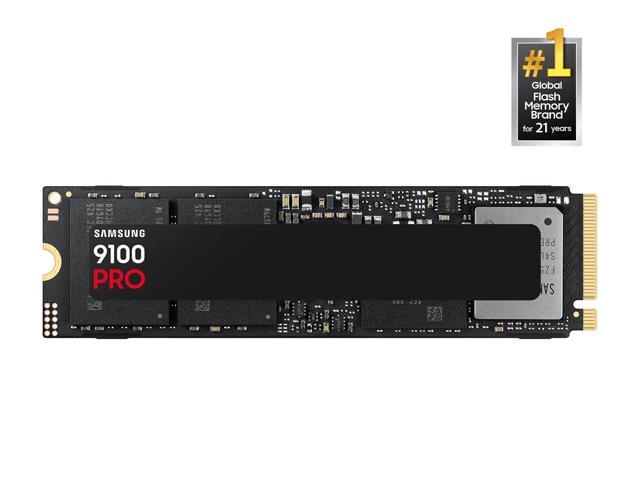
Featured Flagship PCIe NVMe SSD: SAMSUNG SSD 9100 PRO 2TB, PCIe 5.0x4 M.2 2280, Seq. Read Speeds Up to 14,700MB/s, Best for AI Computing, Gaming, and Heavy Duty Workstations
Best current price: $399.99 — Newegg(was $679.99, save 41%)
SAMSUNG SSD 9100 PRO 2TB, PCIe 5.0x4 M.2 2280, Seq. Read Speeds Up to 14,700MB/s, Best for AI Computing, Gaming, and Heavy Duty Workstations (MZ- VAP2T0B/AM). Verified at $399.99 against a $679.99 retailer reference price.
Prices we're tracking across major retailers| Retailer | Current Price | Availability / Status |
|---|
| Newegg | $399.99 | Lowest Price 🔥 |
|---|
Why it's interesting: Delivers ultra-fast sequential read speeds reaching up to 7,450+ MB/s and over 1,000,000 random IOPS. Perfect for high-end gaming rigs, PS5 storage expansion, and demanding creative workstations.
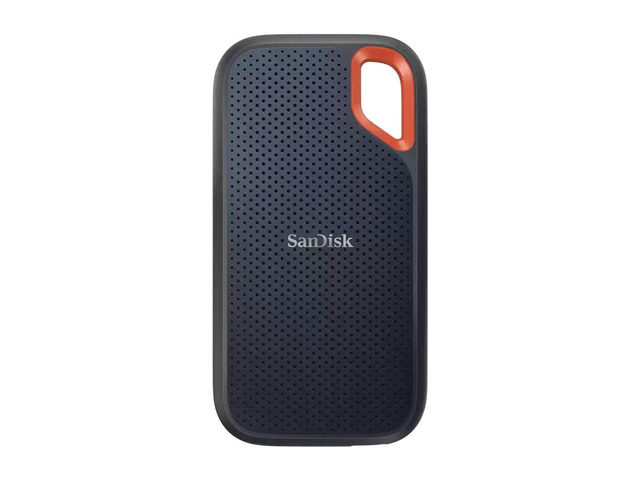
Featured Rugged Portable SSD: SanDisk Extreme 8TB Portable SSD, USB 3.2 Gen 2, USB-C, - External Solid State Drive - SDSSDE61-8T00-G25
Best current price: $1,188.00 — Newegg(was $1,624.99, save 27%)
SanDisk Extreme 8TB Portable SSD, USB 3.2 Gen 2, USB-C, - External Solid State Drive - SDSSDE61-8T00-G25. Verified at $1188.00 against a $1624.99 retailer reference price.
Prices we're tracking across major retailers| Retailer | Current Price | Availability / Status |
|---|
| Newegg | $1,188.00 | Lowest Price 🔥 |
|---|
| Amazon | $1,537.90 | Verified in stock |
|---|
✓ You save $350.00 by choosing the lowest-priced retailer among the offers we're currently tracking.
Why it's interesting: Combines 1,050 MB/s USB 3.2 Gen 2 transfer speeds with an IP65 water/dust resistant rubberized shell. Survives 9-foot drops, making it the ideal secure mobile drive for photographers and travelers.
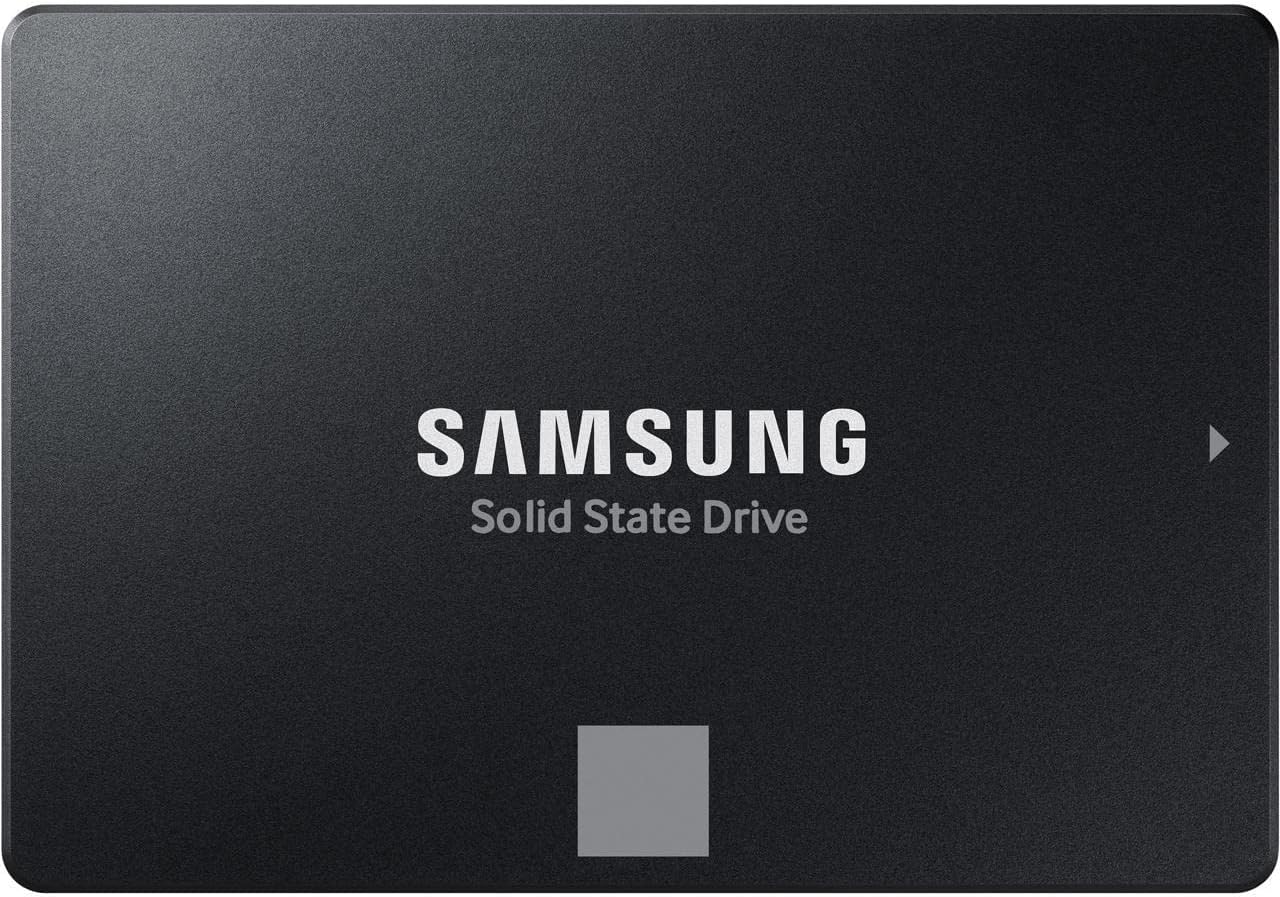
Featured High-Capacity Value Pick: SAMSUNG 870 EVO 4TB 2.5 Inch SATA III Internal SSD (MZ-77E4T0B/AM) , Black
Best current price: $1,094.00 — Amazon(was $2,069.99, save 47%)
SAMSUNG 870 EVO 4TB 2.5 Inch SATA III Internal SSD (MZ-77E4T0B/AM) , Black. Verified at $1108.00 against a $2069.99 retailer reference price.
Prices we're tracking across major retailers| Retailer | Current Price | Availability / Status |
|---|
| Amazon | $1,094.00 | Lowest Price 🔥 |
|---|
| Newegg | $1,189.99 | Verified in stock |
|---|
✓ You save $96.00 by choosing the lowest-priced retailer among the offers we're currently tracking.
Why it's interesting: Provides massive, cost-effective storage for archiving large files, long-term backups, and media libraries at an exceptional cost-per-gigabyte ratio.
The Decision Matrix: Which Should You Buy?
Buy an SSD If:
- It will hold your Operating System (Windows 11 / macOS).
- You play modern PC or console games (DirectStorage).
- You need a portable drive to toss into a backpack.
- Your total capacity requirement is 4TB or less.
Browse SSD Deals →Buy an HDD If:
- You are building a home NAS or Plex media server.
- You need 8TB, 16TB, or 24TB+ of bulk storage.
- You want an air-gapped, offline 3-2-1 backup drive.
- You are recording continuous 24/7 security camera video.
Browse Storage Deals →