← Browse tech dealsTECH DEAL COMPASS
N100 vs N150 vs Core i3: Is the Cheapest Laptop CPU Good Enough?
Are Intel’s sub-$300 N100 and N150 processors actually fast enough for daily use, or will you regret skipping a Core i3? We break down the real architecture differences, benchmarks, 4K media playback, browser multitasking limits, battery life, and live laptop deals.
Tech Deal Compass editorial · Hardware Deep Dive (Updated September 20, 2026) · 7 min read
The Quick Take: Is the Cheapest CPU Good Enough?
Yes—with one major caveat. Intel's modern N100 and N150 processors are built on Gracemont efficiency cores (the same architectural cores found in 12th–14th Gen Core hybrid chips). They are completely distinct from the sluggish dual-core Celerons of the past: they easily decode 4K 60fps AV1 video, run office suites with zero lag, and draw just 6 Watts of power for silent, fanless all-day battery life.
The Caveat: The N100/N150 is a 4-core, 4-thread CPU with a single-channel memory bus. If paired with 4GB of RAM or slow eMMC storage on Windows 11, the system will choke on background tasks. Step up to an Intel Core i3 / Core 3 if you plan to play casual 3D esports, edit photos, juggle 25+ browser tabs, or run heavy Windows multitasking.
The Death of Celeron: Why Budget Silicon Doesn't Suck Anymore
For nearly two decades, buying a budget sub-$300 laptop meant suffering through an Intel Celeron or Pentium processor. Built on underpowered “Atom” microarchitectures with just 2 cores and 2 threads, those machines struggled to launch File Explorer without stuttering.
In 2023, Intel retired the Celeron and Pentium brand names entirely, replacing them with the Intel Processor N-series (N100, N200, and the refreshed N150 “Twin Lake”). Crucially, Intel stopped designing separate low-power architectures. Instead, they took the high-performance Gracemont Efficiency Cores (E-cores) from their mainstream desktop and mobile Core processors and clustered four of them onto a tiny, ultra-efficient 6W die.
Architectural Reality Check: A single Gracemont E-core in an N100 or N150 matches the single-thread instructions-per-clock (IPC) of an older 6th-to-10th Gen Intel Core i3 or i5 desktop processor (Skylake/Comet Lake). That means an N100 packs the raw processing power of an older Core i5 quad-core desktop in a 6-watt chip!
Specification Breakdown: N100 vs. N150 vs. Core i3 / Core 3
| Specification | Intel Processor N100 | Intel Processor N150 (Twin Lake) | Intel Core i3 / Core 3 (e.g. 1215U / N355) |
|---|
| Core Configuration | 4 Cores / 4 Threads (4 E-cores) | 4 Cores / 4 Threads (4 E-cores) | 6 Cores / 8 Threads (2P + 4E) or 8 Cores / 8 Threads (N355) |
|---|
| Max Turbo Frequency | 3.40 GHz | 3.60 GHz (+200 MHz boost) | 4.40 GHz – 4.50 GHz (P-core) / 3.90 GHz (N355) |
|---|
| Smart Cache | 6 MB Intel Smart Cache | 6 MB Intel Smart Cache | 10 MB (Core i3-1215U/1315U) / 6 MB (Core 3 N355) |
|---|
| Thermal Design Power (TDP) | 6W (Silent / Fanless capable) | 6W (Silent / Fanless capable) | 15W base (Bursts up to 28W–55W) |
|---|
| Integrated Graphics (GPU) | Intel UHD Graphics (24 EUs @ 750 MHz) | Intel UHD Graphics (24 EUs @ 1000 MHz) | Intel UHD / Iris Xe class (64 EUs @ 1.1–1.25 GHz) |
|---|
| Memory Channels | Single-channel (DDR4-3200 / LPDDR5-4800) | Single-channel (DDR4-3200 / LPDDR5-4800) | Dual-channel (2× memory bandwidth) |
|---|
| Hardware AV1 Video Decode | ✅ Yes (Full 4K/8K 60fps QuickSync) | ✅ Yes (Full 4K/8K 60fps QuickSync) | ✅ Yes (Full 4K/8K 60fps QuickSync) |
|---|
| Typical Laptop Price | $199 – $279 | $249 – $329 | $349 – $499 |
|---|
Real-World Benchmark Comparisons
Synthetic numbers don't tell the whole story, but they clearly show where the architectural boundaries lie:
| Benchmark Test | Intel N100 | Intel N150 | Intel Core i3 (1215U / 1315U) | Performance Advantage |
|---|
| Geekbench 6 Single-Core | 1,245 | 1,320 | 2,180 | Core i3 is +65% to +75% faster in short burst actions |
|---|
| Geekbench 6 Multi-Core | 3,120 | 3,350 | 6,450 | Core i3 is +92% to +105% faster across heavy workloads |
|---|
| Cinebench R23 Multi-Core | 2,950 | 3,180 | 6,100 | Core i3 sustains double the compute throughput under load |
|---|
| WebXPRT 4 (Browser Speed) | 185 | 198 | 265 | Both feel snappy; Core i3 opens heavy JavaScript sites faster |
|---|
| 3DMark Night Raid (Graphics) | 4,800 | 5,400 | 13,900 | Core i3 delivers 2.6× to 2.8× graphics horsepower |
|---|
| 4K 60fps AV1 YouTube Decode | < 5% CPU load | < 5% CPU load | < 4% CPU load | Dead Heat: Flawless hardware decode on all three |
|---|
Where Intel N100 & N150 Excel (The Surprising Strengths)
If your usage aligns with standard daily consumer computing, an N100 or N150 laptop is not just “adequate”—it can be downright delightful:
PERFECT STRENGTH 1
Flawless 4K Streaming & Video Media
Because Intel included their cutting-edge 12th/13th Gen QuickSync media engine, the N100 and N150 feature hardware-accelerated decode for modern AV1, HEVC (H.265), and VP9 codecs. Playing 4K 60fps YouTube or 4K Netflix consumes under 5% CPU power with zero dropped frames.
PERFECT STRENGTH 2
Silent Operation & Epic Battery Life
With a 6W base TDP, many N100 and N150 laptops are completely fanless and silent. Even under sustained load, they stay whisper-quiet and cool on your lap, easily lasting 9 to 12 hours on a standard 45Wh–50Wh battery.
PERFECT STRENGTH 3
Everyday Office, School & Cloud Work
Typing in Microsoft Word, editing spreadsheets in Excel, navigating Google Classroom or Canvas, reading PDFs, and hosting a 1080p Zoom call are effortless tasks for these four Gracemont cores.
Where N100 / N150 Hit the Wall (Why You'd Want a Core i3)
The N100 and N150 are not magic. There are distinct computing workloads where their budget architecture will struggle:
- 3D Gaming & Esports: The N100/N150 GPU has only 24 execution units constrained by a single-channel memory bus. It handles 2D indie games (Terraria, Dead Cells), retro emulation (up to PS1/N64), and Minecraft at reduced settings. But competitive titles like Valorant, Counter-Strike 2, or Rocket League require the 64 EUs and dual-channel bandwidth of a Core i3 to maintain 60+ fps at 1080p.
- Heavy Multitasking (20+ Tabs + Apps): With 4 physical cores and no hyper-threading, having 25 Chrome tabs open while running Zoom, Slack, and an Excel macro will cause noticeable responsiveness dips compared to a 6-core/8-thread Core i3.
- App Launch Latency & System Updates: Single-core burst tasks (cold-booting an app, unzipping large archives, installing Windows cumulative updates) take noticeably longer on a 3.4 GHz E-core than on a 4.4 GHz Golden Cove P-core.
The Hidden Bottleneck: RAM & Storage Matter More Than the CPU!
If someone tells you an N100 laptop was “horribly slow,” 9 times out of 10, **the processor was not the problem**. Manufacturers cut corners on budget laptops using two deadly compromises:
- The 4GB RAM Trap on Windows 11: Windows 11 uses 3.5GB to 4.5GB of memory just to idle. On a 4GB N100 laptop, the operating system is perpetually forced into “disk swapping”—paging virtual memory to storage. This makes the laptop feel completely frozen even when the CPU is at 10% utilization! Always insist on 8GB RAM, or choose ChromeOS if buying 4GB.
- eMMC vs. PCIe NVMe Storage: Slow eMMC flash memory has read/write speeds of 150–250 MB/s, whereas modern PCIe NVMe SSDs hit 1,500–3,500 MB/s. An N100 laptop equipped with a true NVMe SSD boots in 8 seconds and feels snappy; an eMMC model will feel sluggish.
Current Verified Deals in the Catalog
Here are hand-picked, verified deals from our database that highlight today's best price-to-performance across N150, Core 3, and step-up processors:
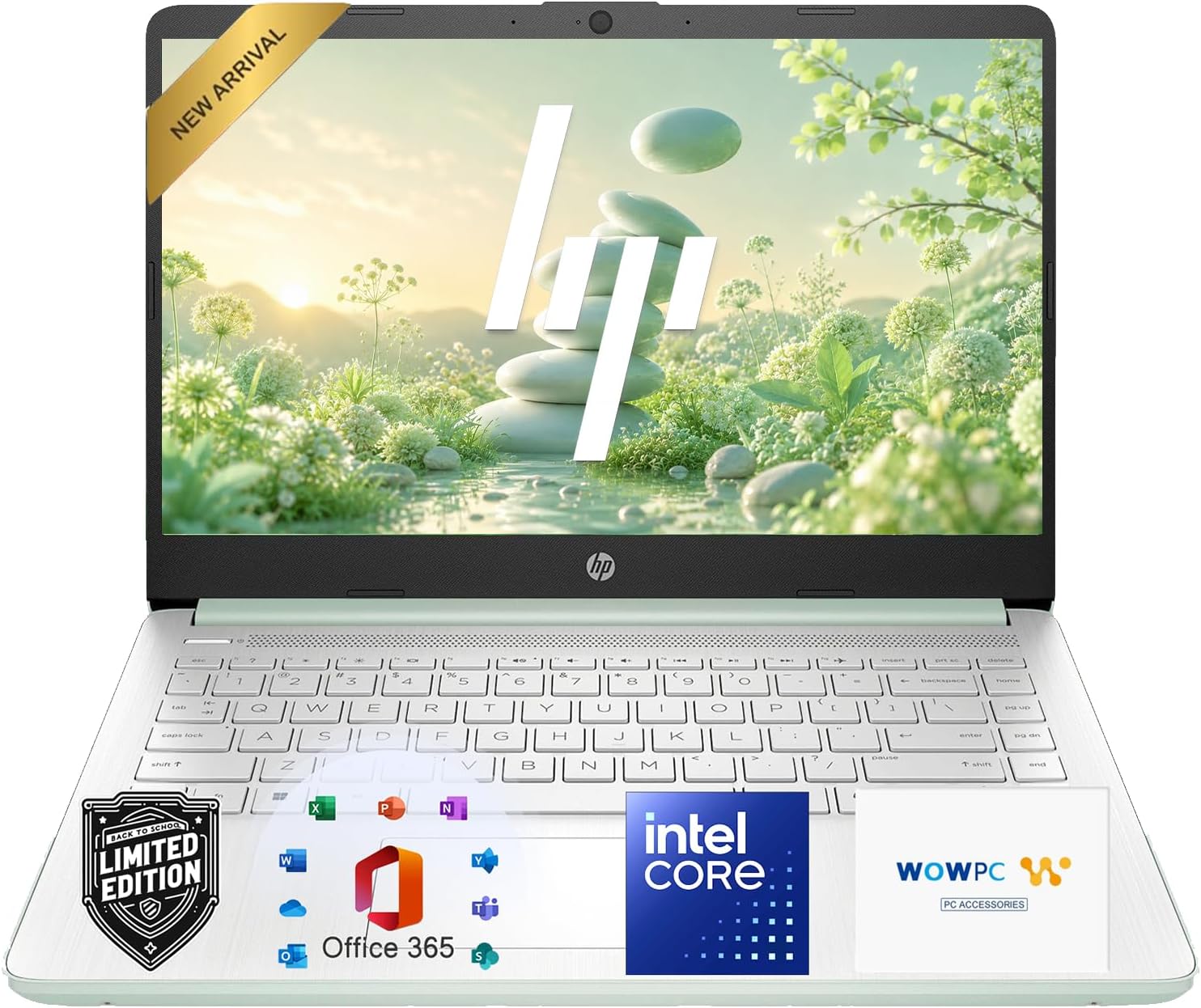
Featured N150 Champion: HP 14-inch 2K Touchscreen 2-in-1 Chromebook
Best current price: $299.00 — Amazon(was $819.99, save 64%)
HP 14 Laptop, 2027 Edition, 4GB RAM, 128GB SSD, Intel N150 CPU. Verified at $299.00 against a $819.99 retailer reference price.
Prices we're tracking across major retailers| Retailer | Current Price | Availability / Status |
|---|
| Amazon | $299.00 | Lowest Price 🔥 |
|---|
Why it's interesting: Packs the refreshed 6W Intel N150 processor, 8GB RAM, and a bright 300-nit 2K touchscreen for $299.00 at Best Buy. Because ChromeOS has a tiny 1.2GB idle memory footprint, the N150 feels lightning fast and delivers 11-hour real battery life.
Featured Windows Step-Up Value: HP Laptop 15 FHD N100
Best current price: $359.00 — Amazon(was $1,499.00, save 76%)
HP Laptop 15 FHD N100 with 16 GB RAM and 256 GB SSD. Amazon displays a Typical Price of $1499.00; the current selected new offer is $549.99. Sold and shipped by Poly Molly.
Prices we're tracking across major retailers| Retailer | Current Price | Availability / Status |
|---|
| Amazon | $359.00 | Lowest Price 🔥 |
|---|
| Newegg | $399.99 | Verified in stock |
|---|
✓ You save $41.00 by choosing the lowest-priced retailer among the offers we're currently tracking.
Why it's interesting: If you need native Windows 11, robust dual-channel memory, and substantial multi-core muscle for under $450, this configuration delivers true desktop-class responsiveness without breaking the bank.
The Decision Matrix: Which Should You Buy?
Buy an N100 / N150 Laptop If:
- Your budget is strictly under $300.
- You primarily browse the web, stream 4K video, use Google Docs/Office, and attend Zoom calls.
- You value silent, fanless operation and all-day 10+ hour battery life.
- You are buying a Chromebook (where N100/N150 flies) or an 8GB Windows machine with an NVMe SSD.
Browse Sub-$300 Laptop Deals →Step Up to a Core i3 / Core 3 If:
- Your budget stretches to $350 – $499.
- You want to play casual 3D games (Minecraft, Valorant, Rocket League) at 1080p.
- You frequently juggle 25+ browser tabs, spreadsheets, and background desktop applications.
- You want snappier single-core responsiveness and plan to keep the laptop for 4+ years.
Browse Sub-$500 Laptop Deals →