← Browse tech dealsTECH DEAL COMPASS
Is an OLED Laptop Worth Paying More For? Display Guide 2026
OLED displays have expanded from high-end TVs into mainstream and gaming laptops, boasting inky blacks, vibrant colors, and true HDR. But with typical price premiums of $100 to $250, potential battery life hits, and text-clarity trade-offs, is an OLED laptop actually worth paying more for?
Tech Deal Compass editorial · Updated daily (Last refreshed September 20, 2026) · Display Technology & Buying Advice
Quick Verdict: Is OLED Worth It in 2026?
Yes, for creators, movie lovers, and gamers. OLED delivers an unbeatable visual experience with true infinite contrast, 0.2ms response times, and 100% DCI-P3 color that standard IPS cannot match.
However, if your daily workload consists of Excel spreadsheets, coding in light mode, or you need maximum 12+ hour unplugged battery life on flights, high-efficiency IPS remains the smarter and cheaper choice.
OLED vs. IPS: The Technical Face-Off
Unlike standard LCD/IPS screens that shine a collective LED backlight through liquid crystals, OLED (Organic Light Emitting Diode) panels feature self-emissive pixels. Every single subpixel creates its own light and color—and can turn completely off:
| Feature | OLED Laptop Display | IPS LCD Laptop Display | Winner |
|---|
| Contrast Ratio | Infinite (1,000,000:1+) | 1,000:1 to 1,500:1 | OLED (Decisive) |
|---|
| Black Levels | True Black (0.0005 nits) — Pixels turn completely off | Dark Gray (~0.3 nits) — Backlight shines through | OLED (Decisive) |
|---|
| Pixel Response Time | < 0.2 ms (Instantaneous) | 3 ms – 15 ms (Fast IPS to budget) | OLED (Instant motion) |
|---|
| Color Gamut | 100% DCI-P3 / 133% sRGB standard | 65% (budget) to 100% sRGB (midrange) | OLED (Studio accurate) |
|---|
| Battery Efficiency | Content-dependent. White backgrounds consume high power. | Consistent power draw regardless of displayed colors. | IPS (+1.5 to 3 hours) |
|---|
| Text Crispness | Good, but diamond/pentile subpixels can cause slight color fringing. | Flawless standard RGB stripe subpixel alignment. | IPS (Slight edge) |
|---|
| Glare & Finish | Predominantly glossy glass (reflective in sunlight). | Widely available with matte anti-glare coatings. | IPS (Office friendly) |
|---|
| Burn-in Risk | Low in 2026 with pixel-shift, but present under extreme static abuse. | Zero permanent burn-in risk. | IPS |
|---|
| Average Price Premium | $100 to $250 over equivalent IPS model. | Standard baseline price. | IPS (Budget friendly) |
|---|
The 4 Major Superpowers of OLED
1. True Infinite Contrast & HDR Impact
In dark movie scenes, starfields, or horror games, an IPS panel always looks cloudy or dark gray due to backlight bleed. On an OLED laptop, black pixels are completely dead dark. When paired with 500–600 nits of peak HDR brightness (VESA DisplayHDR True Black 500/600), highlights pop with extraordinary realism.
2. Instant 0.2ms Pixel Response Times
Even a 300Hz IPS gaming display still suffers from minor liquid crystal transition lag, resulting in motion blur or ghosting behind fast-moving objects. OLED pixels change color in a fraction of a millisecond. Fast gaming and high-refresh scrolling feel noticeably crisper and snappier.
3. Professional Color Gamut & Pantone Validation
Virtually every modern OLED laptop covers 100% of the cinema-grade DCI-P3 color spectrum out of the box. For photographers, video editors, 3D artists, and content creators, you no longer have to pay thousands of dollars for an external grading reference monitor.
4. Hardware-Level Eye Comfort
OLED organic emitters emit naturally lower high-energy blue light (up to 70% less than traditional LED backlights). Best of all, this blue-light reduction is engineered into the hardware wavelength, so you don't get the muddy yellow software tint of software night-light modes.
The 4 Hidden Compromises of OLED: What Sales Reps Won't Tell You
1. The Battery Life Penalty (The “White Screen Tax”)
Because OLED pixels generate their own illumination, displaying a full-screen white document (Microsoft Word, Excel spreadsheets, Google Docs, Reddit in light mode) requires every red, green, and blue subpixel to blaze at maximum power.
Battery Reality: Testing identical laptop configurations shows that an OLED laptop running light-background office productivity will exhaust its battery 1.5 to 3 hours faster than the exact same laptop with an IPS panel. If you buy OLED, switching Windows and all web apps to Dark Mode is virtually mandatory to preserve battery life.
2. Subpixel Text Fringing
Most desktop LCD panels use a simple, horizontal Red-Green-Blue (RGB) stripe layout. Windows ClearType font smoothing is optimized specifically for RGB stripes.
Many OLED laptop screens use a triangular or diamond subpixel pattern. While photographic and video content looks jaw-dropping, sharp-eyed users will notice subtle red or green color fringing on the borders of fine black text against white backgrounds. If you read code or legal briefs 8 hours a day, this can cause subtle visual fatigue.
3. PWM (Pulse-Width Modulation) Flicker
To dim an OLED display below 100% brightness, many laptop panels rapidly pulse the screen on and off at hundreds or thousands of times per second (PWM). While invisible to most people, users sensitive to flicker may experience mild headaches or eye strain after prolonged sessions in dim rooms.
4. The 2026 Burn-in Reality
Is burn-in still a dealbreaker? No, for 95% of users.
Modern OLED laptops incorporate multiple automated defense mechanisms:
- Pixel Shifting: The display imperceptibly shifts the image by a few pixels every few minutes to prevent static UI elements from wearing down specific subpixels.
- Taskbar Auto-Dimming: Sensors detect static taskbars and logos, dimming just those regions to protect the organic dyes.
- Background Refresh Cycles: When the laptop sleeps, firmware runs diagnostic compensation cycles to equalize pixel voltages.
Unless you leave a Bloomberg Terminal or flight simulator HUD pinned on maximum brightness 14 hours a day with sleep disabled, permanent burn-in is exceedingly rare within the 4-to-6 year lifespan of a modern laptop.
Is the $100 to $250 Upgrade Premium Worth It?
Pay More for OLED If You:
- Watch movies, Netflix 4K, or YouTube HDR content regularly.
- Work with photo editing, color correction, or graphic design.
- Play atmospheric, single-player cinematic games (Cyberpunk, Elden Ring, Alan Wake 2).
- Work mostly indoors in moderately lit environments.
- Already use system-wide Dark Mode on your OS and browser.
Save Your Money & Stick with IPS If You:
- Primarily use your laptop for Word, Excel, programming, or research.
- Require maximum unplugged battery endurance (10–14+ hours).
- Work in brightly lit offices, coffee shops, or outdoors with direct reflections.
- Are sensitive to PWM screen flickering.
- Want to keep your laptop budget strictly under $700–$800.
4 Golden Rules to Get the Most from an OLED Laptop
- Enable System Dark Mode: In Windows 11 or macOS, switch to Dark theme. Every black pixel is literally turned off, extending battery runtime by up to 25%.
- Auto-Hide the Taskbar: Right-click the Taskbar → Taskbar Settings → check “Automatically hide the taskbar.” This eliminates static white icons from burning in over years of use.
- Set Screen Timeout to 3–5 Minutes: Prevent static lock screens or browser windows from sitting illuminated when you step away from your desk.
- Use HDR When Watching Content, Not on the Desktop: Keep Windows HDR toggle off during normal daytime spreadsheet work and enable it when watching HDR movies or launching HDR games.
Featured Display Reference Deal
Looking for a high-resolution, premium laptop display without overpaying? Check today's verified pricing:
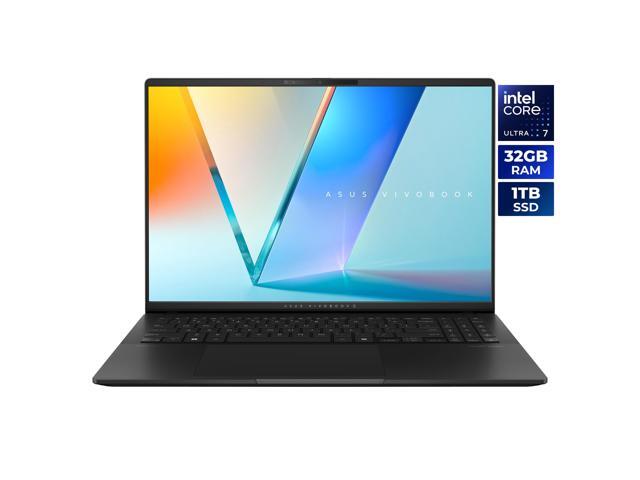
Featured High-Resolution Display Deal: ASUS Vivobook S 16" 3K OLED Intel Core Ultra 7 255H - 32GB RAM - 1TB SSD Windows 11 Home (S5606CA-NS79)
Best current price: $1,299.99 — Newegg(was $1,599.99, save 19%)
ASUS Vivobook S 16" 3K OLED Intel Core Ultra 7 255H - 32GB RAM - 1TB SSD Windows 11 Home (S5606CA-NS79). Verified at $1299.99 against a $1599.99 retailer reference price.
Prices we're tracking across major retailers| Retailer | Current Price | Availability / Status |
|---|
| Newegg | $1,299.99 | Lowest Price 🔥 |
|---|
Why it's interesting: Offers a sharp, high-pixel-density panel with superior color gamut and verified pricing. Compare live discounts across retailers to maximize your display quality per dollar.