← Browse tech dealsTECH DEAL COMPASS
Do You Need a Discrete GPU for Everyday Use? Probably Not — Here's When You Actually Do
Walking down the electronics aisle or browsing online sales, it is easy to believe every modern laptop needs a dedicated NVIDIA GeForce graphics card. Retailers highlight discrete GPUs prominently, creating the impression that without one, your computer will struggle with everyday tasks. But for 85% of laptop buyers in 2026, paying for a discrete GPU is not just a waste of money—it actually degrades your daily computing experience with halved battery life, noisy fans, and heavy power bricks. Here is the honest guide to what modern integrated graphics can effortlessly handle, the severe real-world tradeoffs of discrete GPUs, the 6 specific workloads where a dedicated GPU is genuinely mandatory, and how to choose the right laptop deal for your needs.
The 60-Second Verdict: Why 85% of Buyers Should Avoid Discrete GPUs
Walk into any computer store or browse Black Friday and Prime Day sales, and marketing banners make it look like a laptop without an NVIDIA GeForce RTX card is practically obsolete. Sales reps frequently suggest that a dedicated GPU will make your computer “faster for everything.”
The reality in 2026 is the exact opposite. Unless you are playing demanding modern 3D games, editing multi-track 4K video for a living, or doing 3D CAD and machine learning, buying a discrete GPU will actively ruin your day-to-day laptop experience. It chops your battery life in half, adds 2 to 3 pounds of copper heatsinks and bulky charging bricks to your backpack, makes fans roar during routine web browsing, and burns $200 to $500 that would have been far better spent on a sharper OLED screen or 32GB of RAM.
Modern integrated graphics (Intel Arc Graphics, Intel Iris Xe, AMD Radeon 780M/880M, and Apple M-series chips) are already extraordinary media engines capable of driving dual 4K monitors, running 60+ Chrome tabs, playing esports titles smoothly, and editing 1080p video with instant hardware acceleration.
Under the Hood: Integrated (iGPU) vs Discrete (dGPU) Architecture
To understand whether you need one, you have to understand how their physical hardware architectures differ:
🌱
Integrated Graphics (iGPU)
Intel Arc · Intel Iris Xe · AMD Radeon 780M/880M · Apple M3/M4
- Location: Built directly onto the main CPU silicon die.
- Memory: Shares your system RAM dynamically (e.g. 2GB–4GB of your 16GB DDR5).
- Power Consumption: 15W to 28W total for both CPU and graphics combined.
- Cooling & Weight: Requires only a whisper-quiet single fan and slim heatpipe. Laptops weigh 2.6 to 3.5 lbs.
- Charging: Charges via ultra-compact 65W USB-C phone/laptop chargers.
⚡
Discrete Graphics (dGPU)
NVIDIA GeForce RTX 4050 / 4060 / 5060 / 5070 · AMD Radeon RX
- Location: A completely separate processor soldered onto its own section of motherboard.
- Memory: Dedicated ultra-high-speed GDDR6 VRAM (6GB to 16GB) on a dedicated memory bus.
- Power Consumption: 45W to 140W+ for the GPU alone on top of CPU wattage.
- Cooling & Weight: Requires massive dual blower fans and thick copper vapor chambers. Laptops weigh 4.5 to 6.5 lbs.
- Charging: Requires a bulky 180W to 240W proprietary charging brick that weighs 1.5 to 2 lbs on its own.
What Modern Integrated Graphics Can Actually Do in 2026
If your last laptop was from 2018 or 2019 running Intel UHD 620 graphics, your memory of integrated graphics is probably laggy YouTube playback and choking on anything visual. Integrated graphics have undergone a monumental revolution in recent years.
📺 4K & 8K Hardware Media Engines
Modern iGPUs include dedicated silicon decoders for AV1, HEVC/H.265, and VP9. Streaming 4K HDR 60fps Netflix or YouTube consumes under 4 Watts of battery and generates virtually zero heat.
🖥️ Multi-Monitor 4K Workstations
Through Thunderbolt 4 and USB4, an integrated Intel Core Ultra or AMD Ryzen laptop can drive two external 4K 60Hz monitors plus the built-in laptop screen without a hint of lag.
🎮 Smooth Esports & Casual Gaming
Intel Arc and Radeon 780M effortlessly run League of Legends (120+ FPS), Valorant (100+ FPS), Rocket League (90 FPS), Minecraft, Civilization VI, and CS2 (60+ FPS on medium settings).
🎨 Photoshop & 1080p Video Editing
Intel QuickSync and AMD VCN hardware encoders render 1080p and light 4K video clips in CapCut, DaVinci Resolve, or Premiere Pro faster than real-time while editing 50-layer PSD files in Photoshop effortlessly.
The 4 Punishing Penalties of Buying an Unnecessary Discrete GPU
Before you convince yourself to “just get a gaming laptop deal to be safe,” you must understand the serious compromises you will live with every single day:
- The Battery Life Cliff: While modern Windows laptops use Optimus or Advanced Optimus to switch off the dGPU during idle, background processes (browser GPU hardware acceleration, Discord, game launchers, external monitor handshakes) frequently wake the dGPU. While an iGPU ultrabook delivers 9 to 14 hours of real battery life, a dGPU laptop usually dies in 3.5 to 5.5 hours. You are chained to wall outlets.
- The Backpack Weight & Charger Penalty: A typical dGPU laptop weighs 4.8 to 5.5 lbs. But worse, its 180W–240W proprietary power brick weighs an additional 1.5 to 2.0 lbs. Your total travel carry weight is 6.5 to 7.5 lbs! In contrast, an integrated graphics laptop weighs 2.9 lbs and charges via the same 65W GaN USB-C adapter you use for your smartphone.
- Acoustic Whine & Fan Noise in Quiet Rooms: To prevent overheating, discrete gaming laptops use high-RPM blower fans that spool up like mini jet engines whenever thermal sensors cross 55°C. In quiet lecture halls, libraries, or coffee shops, an iGPU laptop remains whisper-quiet or totally silent, while a dGPU laptop frequently creates distracting fan hiss.
- The Misallocated $200–$400 Budget: The silicon, copper cooling, and PCB layout for an RTX GPU add roughly $200 to $400 to the laptop's cost. If you don't game or render 3D, that money is completely wasted. Putting that same budget toward 32GB of RAM, a 2TB NVMe SSD, or a stunning 120Hz OLED screen will dramatically improve your actual day-to-day computing happiness.
When You ACTUALLY Need a Discrete GPU (The 6 Genuine Exceptions)
So when is a discrete GPU not just a luxury, but an absolute necessity? If your primary computing revolves around any of these 6 specific workloads, an iGPU will fail, crash, or run at an unbearable crawl:
1. Modern AAA PC Gaming at 1080p / 1440p High Settings
Modern blockbuster games like Cyberpunk 2077, Black Myth: Wukong, Helldivers 2, Call of Duty: Warzone, Hogwarts Legacy, and Alan Wake 2 require dedicated high-speed GDDR6 VRAM and hardware ray tracing cores. On an integrated GPU, these titles run at 12 to 24 FPS with stuttering and texture pop-in. On a discrete RTX 4060 or RTX 5060, DLSS 3 Frame Generation pushes 75 to 110+ FPS at smooth High settings.
Minimum Recommended Spec: NVIDIA GeForce RTX 4050 6GB (budget) or RTX 4060 / 5060 8GB (sweet spot).
2. Professional 4K / 6K / RAW Video Production & Color Grading
While an iGPU can trim simple 1080p clips, professional editing in DaVinci Resolve Studio or Adobe Premiere Pro with 10-bit 4:2:2 footage, multi-camera angles, heavy color grading nodes, optical flow speed ramps, and temporal noise reduction requires massive GPU compute. NVIDIA's dual NVENC encoders and CUDA cores export complex timelines in 4 minutes instead of 45 minutes and eliminate dropped frames during playback scrub.
Minimum Recommended Spec: Dedicated NVIDIA RTX GPU with at least 8GB VRAM (RTX 4060 or higher).
3. 3D Animation, CGI Rendering & Game Development
Working in Blender (Cycles rendering), Autodesk Maya, 3ds Max, Cinema 4D, Unreal Engine 5, or Unity demands real-time hardware ray tracing. NVIDIA OptiX technology leverages RT cores to render 3D scenes up to 12x faster than CPU-only rendering. Attempting complex geometry or lighting in Unreal Engine on an integrated GPU will frequently trigger out-of-memory driver crashes.
Minimum Recommended Spec: NVIDIA RTX 4060 (8GB) or RTX 4070 / 5070 (8GB–12GB).
4. Local Generative AI, LLMs & Machine Learning Models
If you want to run local AI models on your own hardware using Ollama, LM Studio, Llama 3, DeepSeek, or Stable Diffusion / ComfyUI image generation, you need high memory bandwidth and Tensor Cores. NVIDIA CUDA is the universal standard for AI acceleration; running these models on an iGPU results in sluggish token speeds (1–3 tokens/sec vs 35+ tokens/sec on an RTX GPU).
Minimum Recommended Spec: NVIDIA RTX 4060 8GB (for 7B/8B models) or RTX 4080 / 5080 12GB+ (for 14B+ models).
5. Architectural CAD, Structural Engineering & BIM Walkthroughs
Civil engineering, architecture, and mechanical engineering software—including Revit, Lumion, Twinmotion, SolidWorks, CATIA, and ANSYS—relies heavily on dedicated hardware OpenGL/DirectX pipelines. Real-time architectural walkthroughs with realistic materials require dedicated GPU processing power to avoid stuttering viewports.
Minimum Recommended Spec: Dedicated GPU with certified drivers or NVIDIA RTX 4060+.
6. PC Virtual Reality (PCVR) & Mixed Reality Headsets
Connecting a Meta Quest 3, Valve Index, or PCVR headset via Link Cable or Virtual Desktop requires rendering two distinct high-resolution eye viewports (2K+ per eye) at a locked 90 to 120 frames per second with sub-20ms motion-to-photon latency. Any frame drop causes instant optical nausea. Integrated graphics cannot initiate PCVR sessions at all.
Minimum Recommended Spec: NVIDIA RTX 4060 or higher with full DisplayPort alt-mode or dedicated USB 3.2.
Head-to-Head Comparison Matrix: iGPU vs dGPU
Here is how the two graphics architectures stack up across the real-world factors that affect you every day:
| Factor | Integrated Graphics (iGPU) | Discrete Graphics (dGPU) | Winner for Everyday Users |
|---|
| Battery Life | 9 to 14+ hours of real unplugged productivity | 3.5 to 5.5 hours (dGPU wakeups drain cell) | 🏆 iGPU (By a landslide) |
| Laptop Weight | 2.6 to 3.5 lbs (Slim ultrabook chassis) | 4.5 to 6.0 lbs (Heavy cooling chambers) | 🏆 iGPU |
| Power Charger | Tiny 65W USB-C GaN charger (0.4 lbs) | Huge 180W–240W proprietary brick (1.5–2 lbs) | 🏆 iGPU |
| Fan Noise & Heat | Silent or whisper-quiet under routine office load | High-RPM dual blower fan noise; hot bottom lap | 🏆 iGPU |
| Typical Price | $400 to $850 for excellent 16GB–32GB configs | $750 to $1,800+ for capable GPU hardware | 🏆 iGPU (Saves $300+) |
| Web, Office & 4K Video | 100% smooth, hardware-accelerated AV1 decoding | Identical visual experience; no visible difference | 🏆 Tie (iGPU uses 80% less power) |
| Esports Games (LoL, Valorant) | 60 to 120 FPS on 1080p Medium | 180 to 300+ FPS on 1080p/1440p High | 🏆 dGPU (For competitive twitch players) |
| AAA Modern Games | 15 to 25 FPS (Unplayable stuttering / low res) | 75 to 110+ FPS (High settings + DLSS 3) | 🏆 dGPU (Mandatory) |
| 3D Rendering & Local AI | Slow CPU fallback; VRAM overflow crashes | Blender OptiX & CUDA Tensor Cores 10x faster | 🏆 dGPU (Mandatory) |
The 30-Second Buyer Decision Checklist: Which Side Are You On?
Answer these four honest questions before deciding which laptop deal category to shop:
✅ You Should Buy an Integrated GPU Laptop If:
- Your primary tasks are web browsing, Microsoft Office, Google Workspace, Zoom calls, and streaming movies.
- You carry your laptop to classes, offices, coffee shops, or airports and want 8+ hours away from a power outlet.
- You want a lightweight, sleek machine that charges with a compact USB-C charger.
- Your gaming is limited to casual or esports titles like Minecraft, Roblox, League of Legends, or retro emulation.
- Your photo and video editing is casual (Canva, CapCut, 1080p YouTube vlogs).
- Your budget is under $800 and you want maximum RAM and storage instead of raw 3D muscle.
⚡ You Genuinely Need a Discrete GPU Laptop If:
- You regularly play modern AAA games released after 2021 (Cyberpunk, Warzone, Black Myth: Wukong).
- You work professionally in 3D animation or game design (Blender, Maya, Unreal Engine 5, SolidWorks).
- You produce multi-camera 4K/6K video with heavy color grading in DaVinci Resolve Studio or Premiere Pro.
- You run local AI models (Llama 3, DeepSeek, Stable Diffusion) and require NVIDIA CUDA Tensor Cores.
- You plan to use a PCVR virtual reality headset (Meta Quest Link, SteamVR).
- You use your laptop primarily plugged into a desk where battery life and weight don't bother you.
Live Catalog Spotlight: Verified Laptop Deals by GPU Class
Our price intelligence engine monitors live cross-store pricing across Amazon, Best Buy, and Newegg. Here are the top-rated laptop deals representing each category right now:
Category A: The Best Integrated GPU Deals (Everyday Battery & Portability Champions)
Ideal for 85% of users: whisper-quiet operation, all-day battery life, light weight, and zero gamer aesthetic.
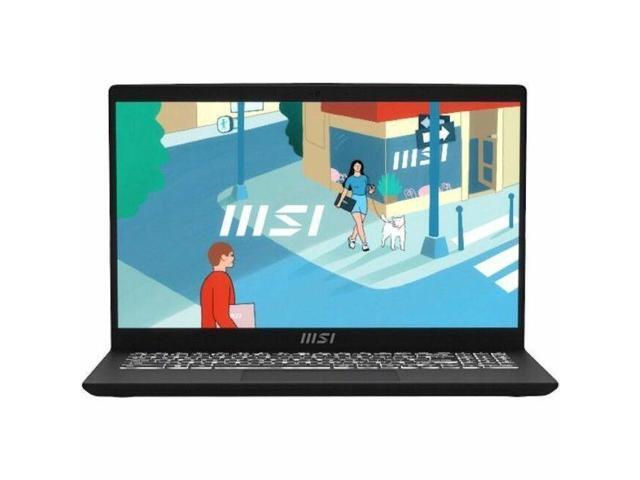 Everyday Budget Hero (iGPU)
Architecture: Integrated Intel Iris Xe Graphics (Whisper-Quiet)
GPU: Intel Graphics (Integrated)CPU: Intel Core i5RAM: 16 GBStorage: 512 GB SSD
Ideal User Profile: College students, remote office workers, household finance, and everyday multi-tab browsing who want a snappy 16GB system without paying for an unwanted gaming brick.
✅ Ideal For (Effortless Performance):
- 60+ Chrome/Edge tabs with Spotify & Zoom running concurrently
- Full Microsoft 365, Excel spreadsheets & Google Docs
- Crystal-clear 4K YouTube & Netflix HDR streaming
- Casual gaming: League of Legends, Roblox, Minecraft at 60 FPS
- Light Canva & 1080p CapCut video editing
⚠️ Workload Limitations / Reality:
- Will not run modern AAA games (Cyberpunk, Warzone) smoothly
- No CUDA support for local machine learning models
- Blender 3D viewport rendering will be slow
Live Cross-Store Pricing Check:
Newegg
$599.00
Lowest Price
Battery & Thermal Profile: 8 to 11 hours real-world battery life. Single silent fan that remains completely inaudible during standard office multitasking.
Why our price scanner highlights this deal: At under $600 with 16GB of RAM and a fast 512GB NVMe SSD, you get maximum everyday speed without wasting a penny on heavy dedicated graphics hardware.
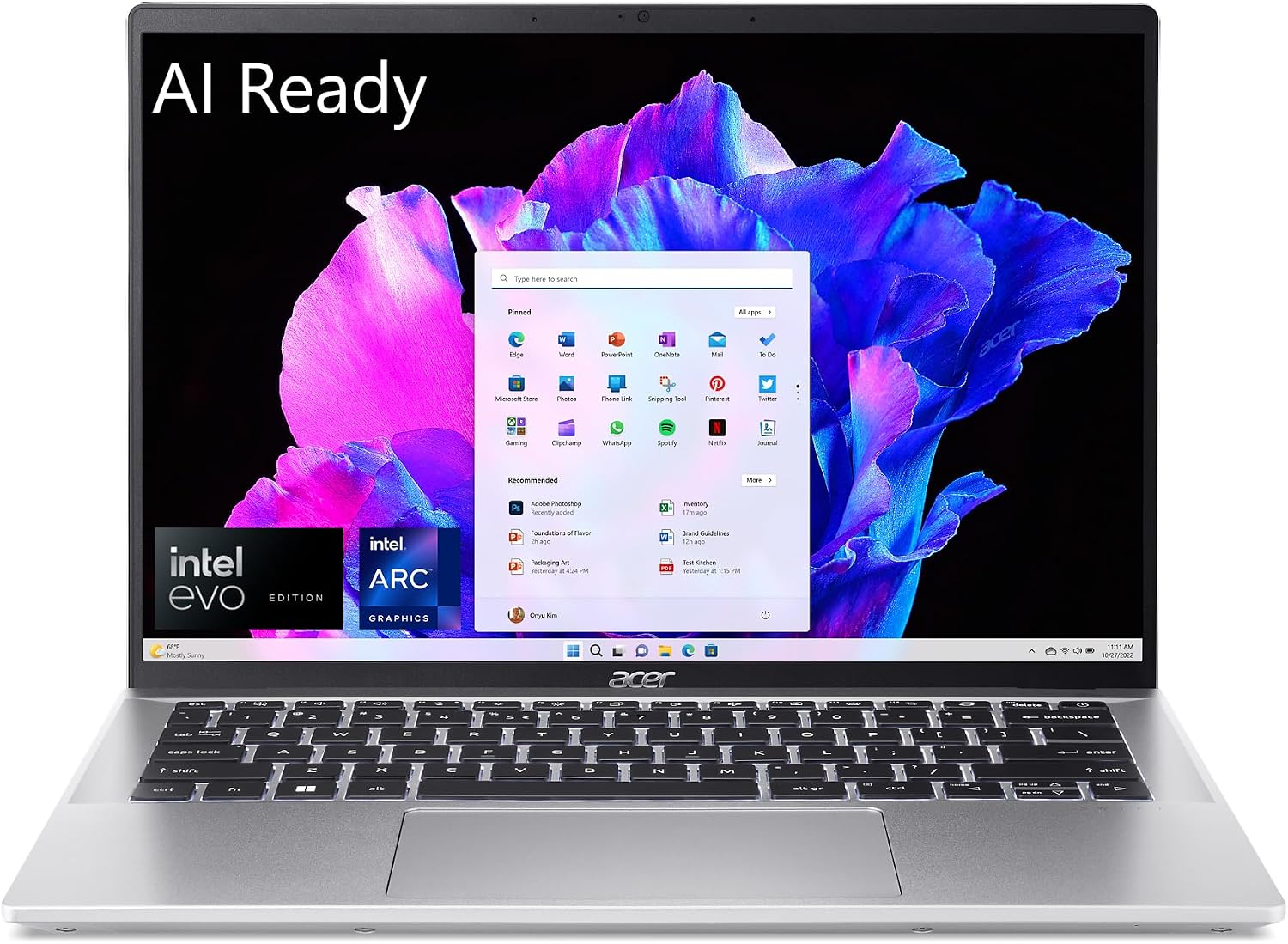 Modern AI & Ultralight Champion (iGPU)
Architecture: Intel Arc Integrated Graphics (8 Xe-Cores + AV1 Media Engine)
GPU: Intel Arc GraphicsCPU: Intel Core Ultra 7 155HRAM: 16 GBStorage: 512 GB SSD
Ideal User Profile: Professionals and travelers needing premium aluminum build, touch display, advanced AV1 hardware media editing, and all-day unplugged mobility.
✅ Ideal For (Effortless Performance):
- AV1 hardware encoding & decoding for ultra-fast video export
- Adobe Photoshop with 40+ layers and RAW photo development
- Dual external 4K 60Hz monitor output over Thunderbolt 4
- Esports titles at 1080p 75–100 FPS (Valorant, CS2, Rocket League)
- Heavy web development, Docker containers & office productivity
⚠️ Workload Limitations / Reality:
- Cannot run heavy 1440p ray-traced AAA games at high frame rates
- Shared system memory limits massive 3D CAD scenes
Live Cross-Store Pricing Check:
Amazon
$815.00
Lowest Price
Battery & Thermal Profile: 10 to 13 hours unplugged productivity. Premium thermal design with subtle fan curve that stays cool on your lap.
Why our price scanner highlights this deal: Intel Core Ultra with integrated Arc Graphics provides 2x the graphical muscle of older iGPUs while preserving true ultrabook battery longevity and featherweight portability.
Category B: The Best Discrete GPU Deals (When You Genuinely Need Real Muscle)
Engineered for AAA gaming, 4K multi-track video editing, Blender 3D animation, and local AI workflows.
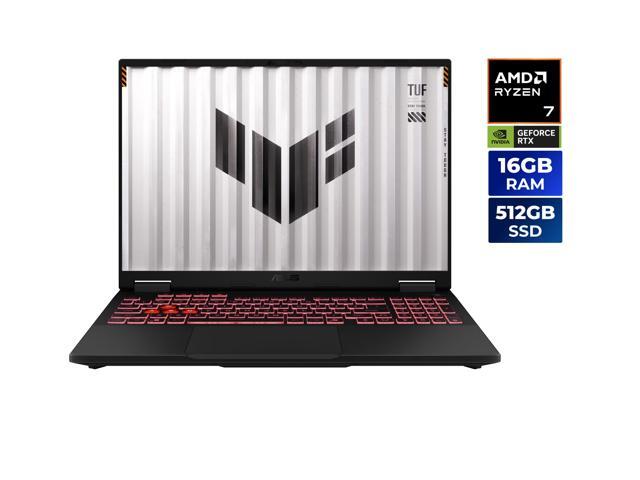 Sweet-Spot AAA & Creator Workhorse (dGPU)
Architecture: Dedicated NVIDIA GeForce RTX 5060 (Dedicated GDDR7 / DLSS)
GPU: RTX 5060CPU: AMD Ryzen 7 260RAM: 16 GBStorage: 512 GB SSD
Ideal User Profile: Gamers and digital creators who need true dedicated GPU muscle for high-FPS 1080p/1440p gaming, DaVinci Resolve color grading, and Unreal Engine development.
✅ Ideal For (Effortless Performance):
- Modern AAA games (Cyberpunk, Black Myth: Wukong) at 80–120+ FPS
- Full DLSS 3/4 Frame Generation and dedicated Ray Tracing hardware
- Multi-cam 4K ProRes & H.265 timeline editing with real-time scrub
- Blender Cycles OptiX GPU rendering up to 10x faster than CPU
- Local AI LLM inference (Llama 3, DeepSeek) & Stable Diffusion
⚠️ Workload Limitations / Reality:
- Heavier chassis (approx. 5 lbs) requiring a substantial power brick
- Battery life drops to 3.5–5 hours away from wall outlets
- Dual blower fans will audibly spin under heavy 3D loads
Live Cross-Store Pricing Check:
Amazon
$799.99
Lowest Price
Battery & Thermal Profile: High-performance dual exhaust fans. Battery life is built for desk productivity; full GPU performance requires plugging into AC power.
Why our price scanner highlights this deal: The RTX 5060 series is the premier sweet spot in laptop graphics, delivering full modern gaming and creative fidelity without escalating into the $2,500+ enthusiast tax.
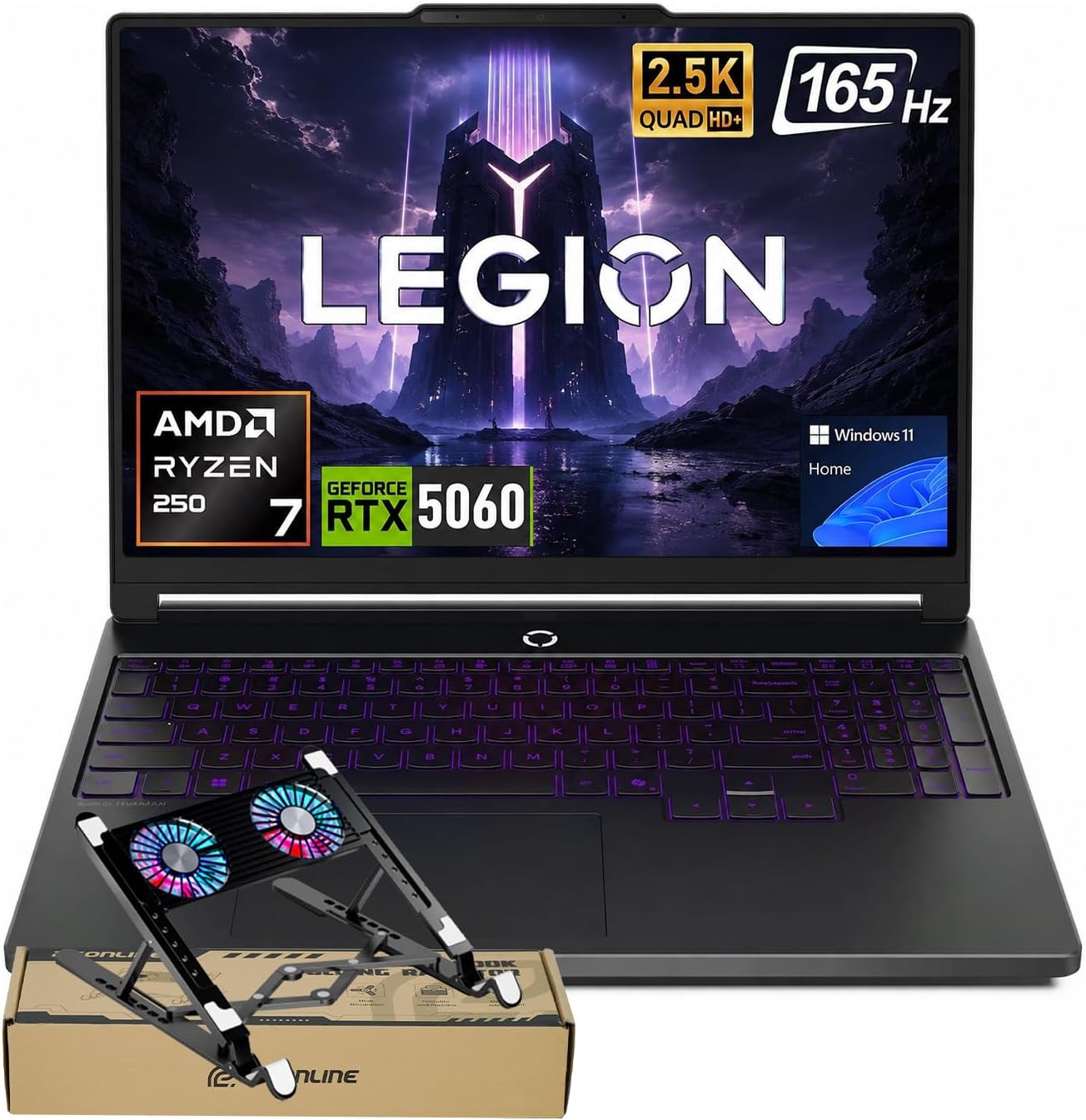 Heavyweight 32GB Studio Workstation (dGPU)
Architecture: NVIDIA GeForce RTX 5060 + 32GB DDR5 High-Capacity Workstation
GPU: RTX 5060CPU: AMD Ryzen 7 250RAM: 32 GBStorage: 1 TB SSD
Ideal User Profile: Engineers, architectural BIM modelers, data scientists, and power users running virtual machines, large local AI models, or heavy multi-app creative pipelines.
✅ Ideal For (Effortless Performance):
- Heavy 3D CAD modeling in SolidWorks, Revit, Lumion, and Twinmotion
- Running memory-heavy local AI models with large context windows
- 4K/6K timeline editing with massive After Effects motion graphics
- Concurrent compilation, Docker containers, and high-FPS gaming
- 1TB high-speed PCIe storage for large project libraries
⚠️ Workload Limitations / Reality:
- Desk-centric laptop; not designed for lap browsing on airplanes
- Proprietary high-wattage AC charger required for maximum clock speeds
Live Cross-Store Pricing Check:
Newegg
$1,599.99
Lowest Price
Battery & Thermal Profile: Robust vapor chamber and dual fan cooling. Delivers workstation-grade sustained performance under sustained heavy multi-hour render loads.
Why our price scanner highlights this deal: Bundling 32GB of high-speed DDR5 RAM with a dedicated RTX GPU eliminates the common 16GB memory bottleneck, making it a complete turnkey creative workstation deal.
5 Dangerous Shopping Traps to Avoid When Choosing a GPU
- 1. Beware the “Weak dGPU” Trap (RTX 2050, MX550, 4GB RTX 3050): This is the worst of both worlds. Budget laptops with low-tier 4GB discrete GPUs drain your battery, add fan noise, and weigh extra, but their measly 4GB of VRAM will crash modern games and 4K video timelines anyway! If you buy a discrete GPU, ensure it has at least 6GB to 8GB of VRAM (like an RTX 3050 6GB, RTX 4060, or RTX 5060).
- 2. Avoid Single-Channel RAM on Integrated GPU Laptops: Integrated GPUs share your laptop's main system RAM. If a laptop ships with a single 8GB or 16GB RAM stick operating in single-channel mode, memory bandwidth is cut in half, penalizing your iGPU frame rates by up to 30% to 40%! Always verify your iGPU laptop runs dual-channel memory (or dual-channel soldered LPDDR5).
- 3. The “Just In Case” Future-Proofing Fallacy: Don't buy a heavy gaming laptop because you think you might pick up video editing or 3D modeling two years from now. If your current daily reality is writing papers, browsing the web, and watching movies, an unused dGPU is a permanent 2-pound penalty and an everyday battery tax. Buy for what you actually do 90% of the time.
- 4. Don't Forget Total Carry Weight: Spec sheets only list the bare laptop weight (e.g. 4.8 lbs). But high-power discrete GPUs cannot charge off standard 45W or 65W phone bricks; they require hefty 180W–240W charging bricks that weigh 1.5 to 2.0 lbs. Always factor total backpack weight before committing to a dGPU machine.
- 5. Check TGP (Total Graphics Power) Wattage on dGPUs: Not all discrete GPUs with the same name perform equally. A thin laptop with a 45W TGP RTX 4060 will perform roughly 25% slower than a well-cooled laptop with a full 100W–140W TGP RTX 4060. Always check the wattage rating in our spec intelligence sheet before buying.
