
← Browse tech deals
TECH DEAL COMPASS

How to Check if a Laptop Deal Can Actually Run Your Software or Games

Seeing a tempting $400 or $800 laptop deal is exciting—until you boot up your favorite game or load Adobe Premiere, only to be greeted by stuttering 15 FPS slideshows or out-of-memory crashes. Retailers love to hype generic 'Intel Core' processors and 'Ultra-Fast SSDs' while completely ignoring the dedicated GPU and VRAM requirements your software actually needs. Here is how to audit any laptop deal before buying, decode the 5 critical performance bottlenecks, use our foolproof YouTube benchmark formula, avoid Windows on Arm compatibility traps, and explore verified deals for every workload.

The 60-Second Verdict: The "Weakest Link" Rule

A laptop is only as capable as its most constrained hardware component. Computer retailers love to plaster flashy marketing badges like "14-Core Intel Core i7 Processor" or "Ultra-Fast Copilot+ AI PC" across laptops that lack a dedicated graphics card.

If a laptop lacks a dedicated GPU with high-speed video memory (VRAM), a top-of-the-line processor cannot save you from 15 FPS slideshows in modern games or out-of-memory errors in DaVinci Resolve. Before you pull the trigger on a discount, here are the 5 hardware checkpoints that dictate whether your specific game or software will actually run smoothly.

The 5 Hardware Bottlenecks That Dictate Software Capability

When determining if a laptop can handle a specific program, check these five components in order of priority:

1. Graphics: Dedicated (dGPU) vs. Integrated (iGPU) & The VRAM Wall

This is where 80% of laptop buyers get blindsided.

  • Integrated Graphics (Intel UHD, Iris Xe, Intel Arc, AMD Radeon 780M): Has no dedicated video memory. It borrows bandwidth and capacity from your system RAM. Excellent for web browsing, Netflix 4K streaming, Zoom, Microsoft Office, and lightweight esports (Roblox, Minecraft, League of Legends, Valorant). It cannot run demanding modern AAA games or GPU-rendered 3D viewports.
  • Dedicated Graphics (NVIDIA GeForce RTX 3050, 4050, 4060, 4070, 5060, 5070): Comes equipped with dedicated high-speed GDDR6/GDDR7 Video RAM (VRAM) operating on a separate high-speed memory bus.

⚠️ The VRAM Hard Wall: Modern AAA games (Cyberpunk 2077, Hogwarts Legacy, Black Myth: Wukong) and 4K video editing timelines in DaVinci Resolve Studio or Premiere Pro have strict VRAM thresholds. If your GPU has only 4GB VRAM (like an older RTX 3050), high-resolution textures will exceed memory, causing severe frame drops or outright desktop crashes. In 2026, 8GB of VRAM (RTX 4060/5060 or higher) is the standard baseline for seamless AAA gaming and creator workflows.

2. System RAM (Memory Capacity & Dual-Channel Bandwidth)

Even if your CPU and GPU are fast, insufficient RAM forces Windows to swap memory data onto your SSD (pagefile thrashing), causing stuttering and system freezes.

  • 8 GB RAM: Acceptable strictly for web browsing, office suites, and streaming. Unsuitable for AAA gaming, Photoshop RAW editing, or multitasking with Discord open.
  • 16 GB RAM: The universal minimum for modern gaming, light 4K video editing, and smooth multitasking.
  • 32 GB+ RAM: Mandatory for heavy Adobe After Effects, multi-layer Photoshop composites, Blender 3D rendering, engineering CAD (SolidWorks, AutoCAD), and local AI language model inference.

3. CPU Architecture: Single-Core vs. Multi-Core Scaling

Software uses CPU cores very differently depending on the workload:

  • Single-Core Frequency (Clock Speed): Dictates frame rates in competitive esports (Counter-Strike 2, Valorant), brush slider responsiveness in Adobe Photoshop, and geometric viewport manipulation in CAD software. High clock speeds (4.5 GHz+) are essential here.
  • Multi-Core / Multi-Threaded Count: Dictates video export rendering speed (Adobe Premiere Pro, Handbrake), 3D CPU rendering (Blender Cycles CPU mode), and software compilation in Visual Studio. Look for 8+ physical cores or Intel hybrid P+E core architectures.

4. The Architecture Trap: Windows on Arm (Snapdragon X Elite / Plus)

Copilot+ laptops powered by Qualcomm Snapdragon X Elite or Snapdragon X Plus processors deliver incredible 18-hour battery life and whisper-quiet operation. However, they use the ARM64 architecture instead of traditional x86 Intel/AMD chips.

⚠️ The Anti-Cheat & Driver Barrier: While Microsoft's Prism emulator runs most standard productivity apps seamlessly, kernel-level anti-cheat software does NOT work under x86 emulation. Games like Valorant (Vanguard), Fortnite (Easy Anti-Cheat), Apex Legends, and Rainbow Six Siege will refuse to launch. Furthermore, legacy audio production VST plugins, specialized drawing tablet drivers, and CAD packages like SolidWorks lack ARM support.

5. Thermal Throttling & Total Graphics Power (TGP)

Not all graphics cards with the same name perform equally. NVIDIA permits laptop manufacturers to tune the wattage (TGP) of an RTX 4060 anywhere from 45 watts up to 140 watts. An ultra-thin lifestyle laptop with a 45W RTX 4060 runs 25% to 35% slower than a full-chassis gaming laptop like an ASUS TUF or Lenovo Legion running the same GPU at 140W. Always verify the GPU wattage rating in the detailed spec sheet before assuming performance.

The Foolproof 4-Step Verification Method Before You Buy

Instead of guessing whether a deal laptop will run your workload, use this 4-step auditing formula:

The YouTube Benchmark Search Formula

Hardware review channels benchmark virtually every combination of laptop CPU and GPU on Earth. Head to YouTube and search this exact formula:

"[Exact Processor] [Exact GPU] [Game or Software Name] benchmark"

Examples: "i5-13420H RTX 3050 Fortnite benchmark" or "Ryzen 7 8845HS RTX 4060 Blender render test". Look for real gameplay with the on-screen display (OSD) showing average FPS, 1% low frametimes, and GPU temperatures. If the 1% lows drop below 40 FPS, the game will feel choppy.

Step 1: Ignore "Minimum Specs"

Game publishers write "Minimum Requirements" just to avoid liability if the game opens. It usually means 720p resolution at 30 FPS on lowest settings with stuttering. The "Recommended Spec" is the real baseline for a smooth 1080p 60 FPS experience.

Step 2: Check PugetBench for Creators

If you use Adobe Premiere Pro, After Effects, DaVinci Resolve, or Photoshop, search the Puget Systems Benchmark database for the laptop's GPU and CPU. It tests real timeline playback and rendering with uncompressed RAW media.

Step 3: Check Anti-Cheat Compatibility

Before buying a Qualcomm Snapdragon Windows on Arm laptop or a handheld PC, visit AreWeAntiCheatYet.com to confirm whether your favorite competitive multiplayer titles are supported without compatibility blocks.

Workload Compatibility Matrix: Hardware Tiers by Use Case

Match your intended software against our hardware baseline standards to find the minimum specs you must target:

Workload TierExample Software & GamesMinimum Recommended GPURAM & VRAM TargetRealistic Deal Price
Tier 1: Web, Office & StreamingChrome (20+ tabs), Zoom, Microsoft Office, Spotify, CanvaIntegrated (Intel UHD / Iris Xe / AMD Radeon)8 GB – 16 GB RAM (Shared VRAM)$350 – $600
Tier 2: Esports & 1080p VideoFortnite, Roblox, Valorant, CS2, Minecraft, Premiere 1080pEntry Dedicated (RTX 3050 6GB / RTX 4050 6GB)16 GB RAM · 6 GB VRAM$599 – $799
Tier 3: Mainstream AAA & 4K TimelineCyberpunk 2077, Helldivers 2, COD Warzone, DaVinci ResolveMidrange Dedicated (RTX 4060 8GB / RTX 5060 8GB)16 GB – 32 GB RAM · 8 GB VRAM$849 – $1,099
Tier 4: High-FPS 1440p & 3D ModelingBlack Myth: Wukong, Alan Wake 2, Blender Cycles, SolidWorksHigh-End Dedicated (RTX 4070 8GB / RTX 5070 12GB)32 GB RAM · 8 GB – 12 GB VRAM$1,149 – $1,699

Live Laptop Deals Spotlight: Verified Capability Benchmarks

Here are handpicked, verified live laptop deals currently tracked in our catalog, mapped directly to their real-world software and gaming capabilities:

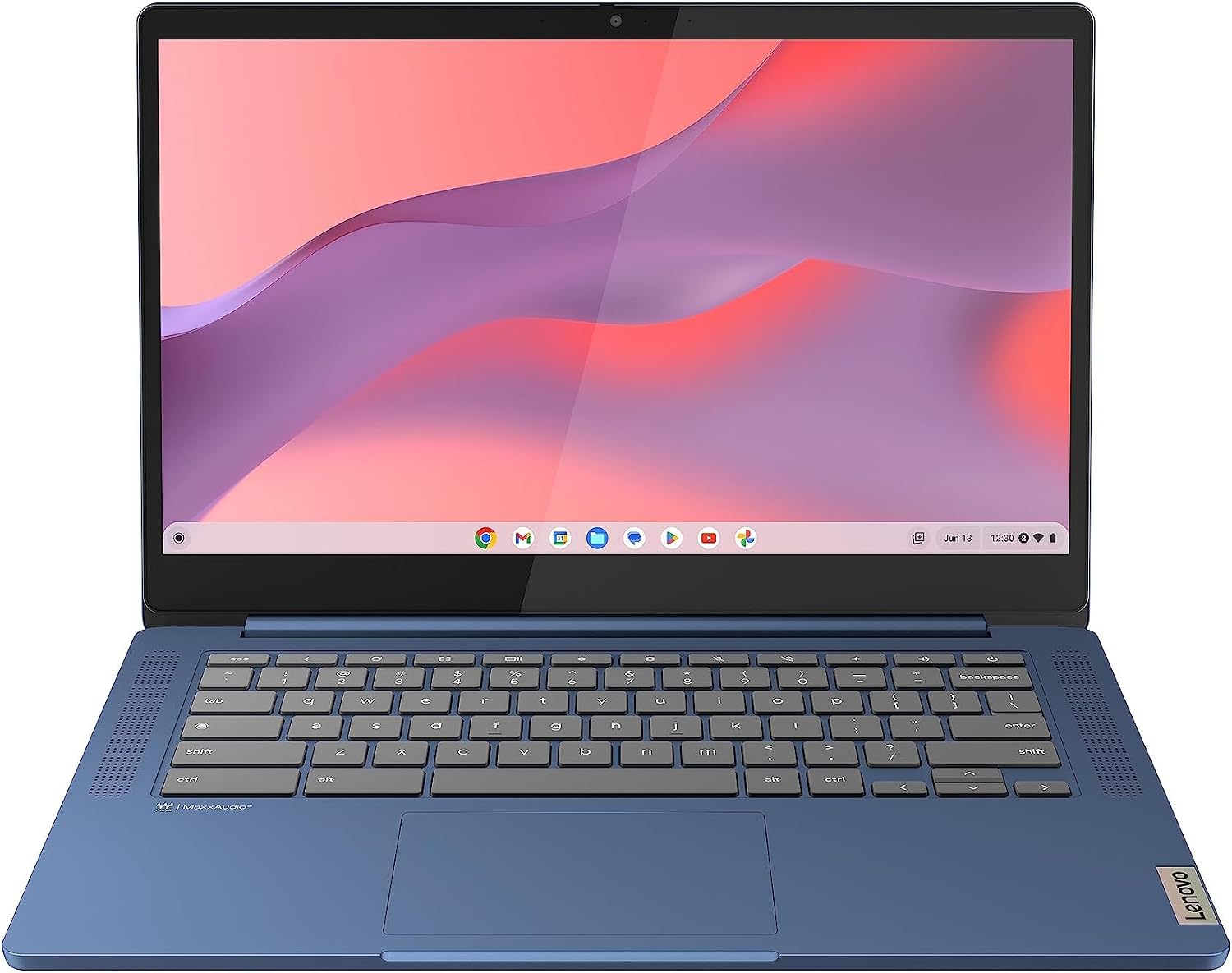
Lenovo 14" FHD Laptop 2026 Edition, IdeaPad Slim 3 Touchscreen ChromebookTier 1: Everyday Productivity & Study
Capability Class: Web browsing, Office 365, Zoom video calls, streaming, light photo editing

Lenovo 14" FHD Laptop 2026 Edition, IdeaPad Slim 3 Touchscreen Chromebook

GPU: Integrated graphicsCPU: See retailer specificationsRAM: 16 GBStorage: See retailer specifications
✅ Confirmed Smooth Performance:
  • Microsoft Office & Google Docs (flawless)
  • Zoom / Teams HD video calls with screen sharing
  • Streaming 4K 60FPS video on YouTube / Netflix
  • Adobe Photoshop 2D photo editing & Canva graphics
  • Light casual games: Roblox, Minecraft (Bedrock), Solitaire
❌ Not Recommended / Hard Limits:
  • Demanding modern AAA games (Cyberpunk, Starfield, GTA V)
  • Competitive FPS high-refresh titles (Valorant at 144Hz+)
  • 3D rendering in Blender or Unreal Engine
  • Multi-cam 4K video timeline scrubbing
Live Cross-Store Pricing Check:
Amazon
$329.00
Lowest Price

Why it fits this tier: Features a modern Intel processor paired with 16GB of RAM and a fast 512GB SSD. Perfect for university coursework, home office multitasking, and casual daily computing without spending extra on a power-hungry graphics card.

Hardware boundary to keep in mind: Integrated Intel graphics has no dedicated VRAM. Attempting to run high-end 3D games will yield unplayable 10–20 FPS frame rates.

The 5-Point Buyer's Compatibility Checklist Before Hitting "Buy"

  • 1. Identify the exact GPU name: If the listing says "Intel UHD", "Intel Iris Xe", or "AMD Radeon Graphics" without a 4-digit number (like RTX 4060 or RX 7600), it is an integrated chip. Do not buy it expecting to play AAA games.
  • 2. Verify VRAM capacity on gaming/creator models: Look for at least 6GB VRAM for esports/1080p, and 8GB VRAM for AAA gaming or 4K video editing. Avoid 4GB VRAM cards for games releasing in 2024 and beyond.
  • 3. Beware the Windows on Arm anti-cheat barrier: If buying a laptop with a Snapdragon processor, confirm your favorite multiplayer games don't use kernel-level anti-cheat (Valorant, Fortnite, Call of Duty) that refuses to run on ARM emulation.
  • 4. Run the YouTube search test: Type [CPU] + [GPU] + [Your Game] benchmark into YouTube. Five minutes of real gameplay footage will tell you more than 20 marketing spec sheets.
  • 5. Check if RAM is upgradeable: If a laptop has a great GPU but only 8GB of RAM, check whether it has an open SODIMM slot so you can spend $35 to pop in a secondary 8GB stick for dual-channel speed.