← Browse tech deals
TECH DEAL COMPASS

Best Monitor Deals for Working from Home (Not Gaming)

Search for a computer monitor deal online, and 70% of what retailers show you are 240Hz 'gaming monitors' covered in RGB lights, angular gamer plastics, and flimsy tilt-only stands that force you to hunch over all day. Gaming monitors prioritize rapid 0.5ms pixel response times over the features remote workers actually need: clean single-cable USB-C laptop docking, crisp black-on-white text rendering, full 4-way ergonomic adjustability, and eye-friendly flicker-free backlight dimming. Here is why the best productivity monitors look nothing like gaming screens, the 5 non-negotiable features for all-day desk comfort, and today’s best live monitor deals for working from home.

The 60-Second Verdict: Why Gaming Monitors Are Terrible for Remote Work

Search for a computer monitor online during sales events, and over 70% of the listings pushed at you are “Gaming Monitors.” They boast flashy 180Hz–240Hz refresh rates, aggressive angular designs, red accents, and 0.5ms response times.

For someone working from home 8 hours a day, gaming monitors are almost always the wrong purchase. Gaming panels cut corners on the exact features that make remote work enjoyable:

  • Zero USB-C Power Delivery: Most gaming screens only offer HDMI and DisplayPort, forcing you to clutter your desk with proprietary laptop chargers, dongles, and messy cable nests.
  • Flimsy Tilt-Only Ergonomics: Budget gaming stands rarely adjust for height. You end up craning your neck downward for 40 hours a week, triggering chronic cervical spine fatigue.
  • Sub-Pixel Text Fringing: Curved VA panels and OLED gaming screens use sub-pixel layouts that create chromatic color fringing along the borders of black text, causing eye strain in Word, Excel, and code editors.
  • Desk-Devouring Spider Stands: Aggressive triangular metal prongs eat 10 to 14 inches of desk depth, colliding with your keyboard and mousepad.

A dedicated productivity monitor prioritizes single-cable USB-C docking, razor-sharp pixel density for crisp typography, 4-way ergonomic adjustability, and flicker-free eye comfort. Here are the 5 specs that actually matter, along with today's best verified deals.

The 5 Non-Negotiable Features for a Home Office Productivity Monitor

🔌

1. USB-C Single-Cable Docking (65W–90W PD)

The ultimate quality-of-life upgrade for laptop users. A single USB-C cable transmits pristine 4K video, charges your laptop at 65W to 90W, and connects your external webcam, keyboard, and mouse via the monitor's built-in USB hub. When you sit down, you connect one cable and your desk is ready.

🔍

2. High Pixel Density (PPI) for Crisp Typography

A 27-inch 1080p screen has a measly 81 PPI—fine for moving video games, but blurry for small spreadsheet text. For sharp text, choose either 27” 1440p (108 PPI) for native 100% Windows scaling, or 27” 4K (163 PPI) for razor-sharp Retina-grade font rendering that completely eliminates jagged letters.

🧍

3. 4-Way Ergonomic Stand with 90° Pivot

Never buy a monitor that only tilts forward and backward. You need 100mm–150mm of vertical height adjustment so the top third of the panel aligns with your eye level. A 90-degree portrait pivot is a superpower for programmers, accountants reading endless rows, and legal document reviews.

👁️

4. IPS Panel Technology & Matte Coating

IPS (In-Plane Switching) delivers wide 178-degree viewing angles with consistent color and gamma, so reading documents doesn't shift when you adjust your posture. A 3H anti-glare matte coating diffuses bright daylight from home office windows without turning your screen into an annoying mirror.

🛡️

5. True DC Dimming & Low Blue Light Certification

Cheap screens use PWM (Pulse Width Modulation) to control brightness, cycling the backlight on and off hundreds of times per second. While invisible to the naked eye, it triggers severe 3 PM tension headaches. Look for TÜV-certified flicker-free DC dimming and hardware low blue light that protects your eyes without turning white screens sickly yellow.

Productivity Monitor vs. Gaming Monitor: Direct Comparison

FeatureDedicated WFH MonitorGaming Monitor (Under $300)Why It Matters for Remote Work
Laptop ConnectivityUSB-C with 65W–90W Power DeliveryHDMI / DisplayPort only (No charging)One cable replaces charger, display cord, and dongles
Stand AdjustabilityFull 4-Way: Height, Tilt, Swivel, 90° PivotTilt only (-5° to +15°)Prevents neck strain and enables vertical document mode
Text Rendering (Sub-pixel)Standard RGB stripe (Crystal-clear fonts)BGR or VA sub-pixels (Colored text fringing)Critical for reading spreadsheets, emails, and code all day
Desk FootprintFlat, compact rectangular base (6"–7" deep)Deep triangular metal prongs (10"–14" deep)Leaves room on your desk for keyboard, mouse, and papers
Visual DesignClean, elegant silver/ash white or matte blackAggressive gaming badges, red vents, rear RGBBlends seamlessly into a professional home office aesthetic

Choosing the Right Size & Resolution for Your Desk

Don't buy a monitor based solely on sale price; match the screen size to your physical desk depth:

27-Inch 1440p (QHD)

Best for Shallow Desks (20"–24" deep)

Native 100% Windows scaling with no font blur. Excellent for dual-window split view, highly affordable ($150–$220), and fits comfortably on smaller desks.

27-Inch 4K (UHD)

The Gold Standard for Typography (163 PPI)

Retina-like smoothness. Run Windows at 150% scaling for razor-sharp vector text that completely eliminates eye strain when reading all day. Ideal for MacBooks and Windows ultrabooks.

32-Inch 4K (UHD)

Best for Deep Desks (28"+ deep) & Spreadsheets

A massive productivity canvas. Comfortably fits 3 full-size windows side-by-side (Slack + Excel + Browser) at 125% scaling without needing dual monitors.

Live Catalog Spotlight: Verified Productivity Monitor Deals

Here are the top-rated home office monitors from our price intelligence scanner, selected specifically for ergonomics, text sharpness, and single-cable docking:

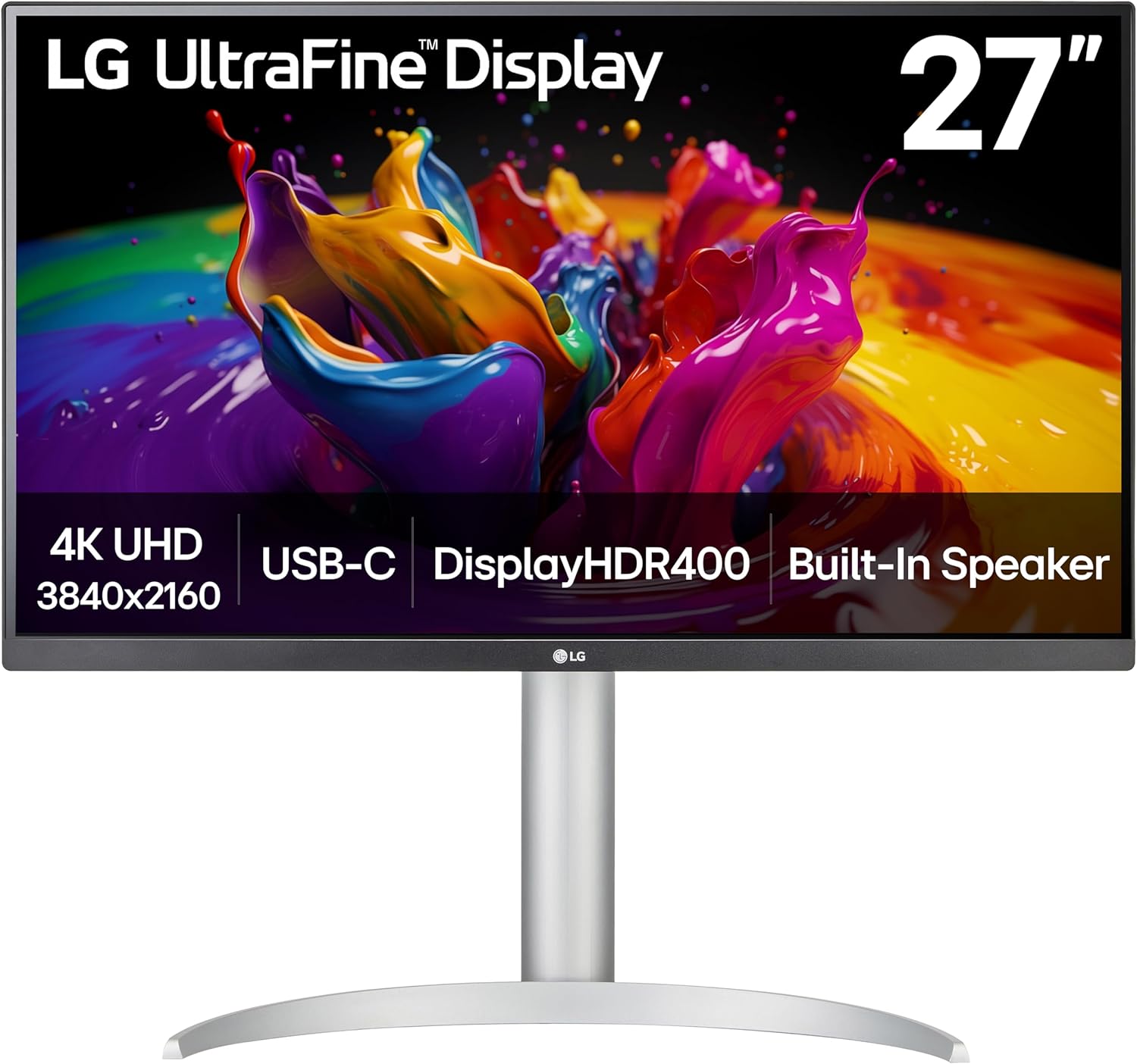
LG 27UP850K-W 27-inch Ultrafine 4K UHD IPS DisplayHDR 400 Computer MonitorThe Ultimate USB-C 4K Docking Hub
Display Class: 27-Inch 4K UHD (3840x2160) · 163 PPI Razor-Sharp Text

LG 27UP850K-W 27-inch Ultrafine 4K UHD IPS DisplayHDR 400 Computer Monitor

Ergonomics & Ports: 90W USB-C Power Delivery · Dual USB 3.0 Hub · Full 4-Way Stand (Height/Tilt/Pivot)

Ideal Home Office Worker: Remote workers, consultants, and MacBook/Windows laptop users who want a clutter-free desk with a single USB-C cable replacing all docks and chargers.

✅ Productivity & Desk Strengths:
  • Full 90W USB-C Power Delivery charges demanding work laptops with a single cable
  • True 4K UHD resolution delivers razor-sharp 163 PPI text clarity
  • Professional IPS panel with 95% DCI-P3 color reproduction
  • Full ergonomic stand with 110mm height adjustment and 90-degree portrait pivot
  • Two downstream USB ports to connect mouse, keyboard, or webcam directly to monitor
⚠️ Tradeoffs to Keep in Mind:
  • 60Hz refresh rate (strictly built for office productivity, not fast twitch gaming)
  • Integrated speakers are modest; best for Zoom voices rather than bass-heavy music
Live Cross-Store Pricing Check:
Amazon
$299.00
Lowest Price

Ergonomic & Desk Setup Tip: Rotate the panel 90 degrees into vertical orientation to read 80-page contracts or 1,000-row spreadsheets without scrolling.

Why our scanner recommends this monitor: At under $300, getting 4K IPS clarity paired with full 90W USB-C laptop docking saves you from having to purchase an external $150 Thunderbolt dock.
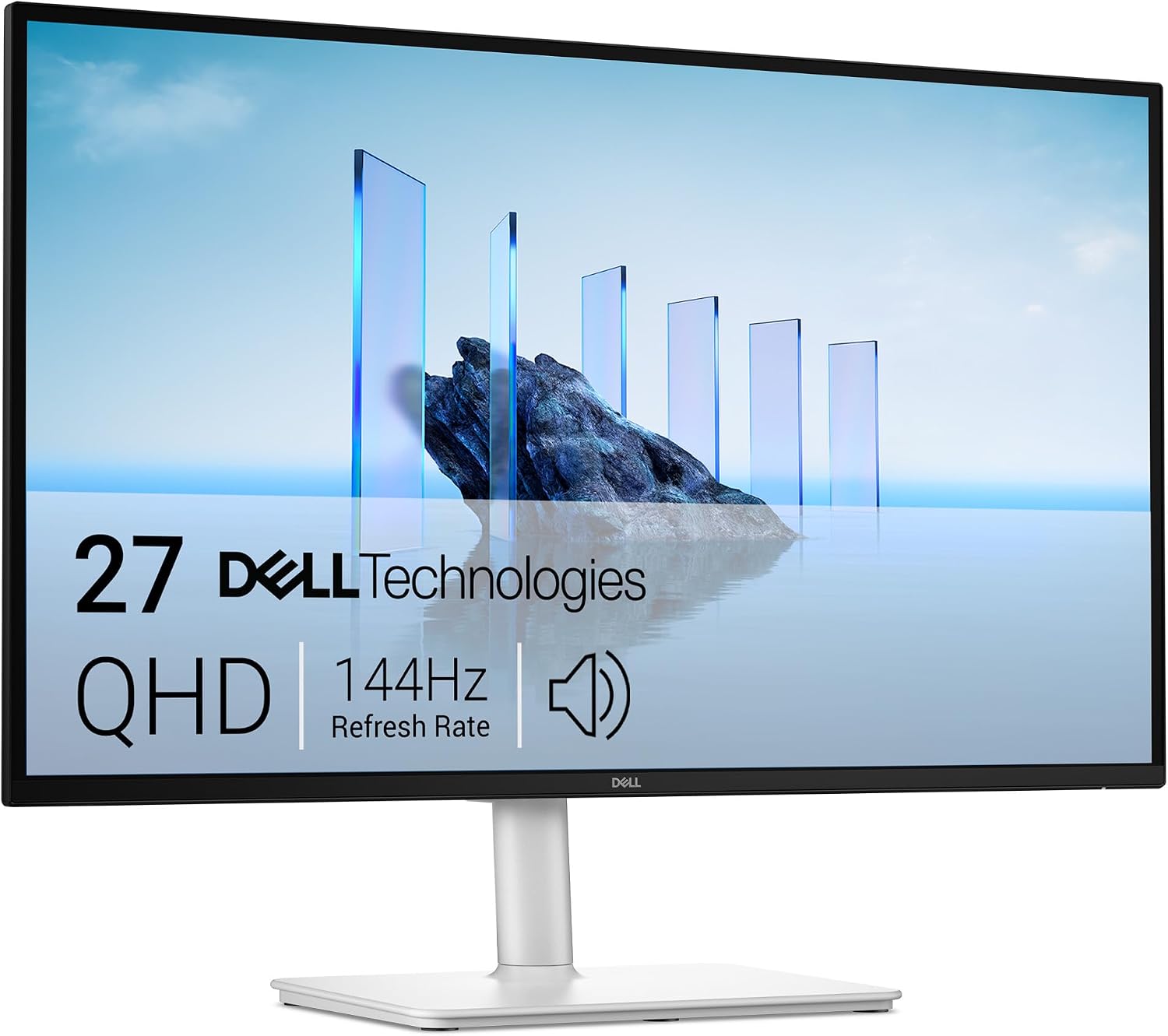
Dell 27 Plus QHD Monitor - S2725DSM - 27-inch QHD (2560x1440) 144Hz 1ms Display, 2 x 3W Speakers, HDMI/DisplayPort 1.4 Connectivity, Height/The Ergonomic 1440p Value Sweet-Spot
Display Class: 27-Inch QHD (2560x1440) · 108 PPI Native Windows Scaling

Dell 27 Plus QHD Monitor - S2725DSM - 27-inch QHD (2560x1440) 144Hz 1ms Display, 2 x 3W Speakers, HDMI/DisplayPort 1.4 Connectivity, Height/

Ergonomics & Ports: Full 4-Way Ergonomic Stand · HDMI 2.1 & DisplayPort 1.4 · Integrated 2x 3W Speakers

Ideal Home Office Worker: Home office professionals seeking the optimal balance of screen real estate, native 100% Windows scaling, built-in speakers, and elegant white aesthetic under $200.

✅ Productivity & Desk Strengths:
  • Native 1440p resolution provides 77% more desktop real estate than 1080p
  • Full 4-way adjustability: height, tilt, swivel, and 90-degree pivot
  • Dual built-in 3W speakers tuned for clear spoken voices on Zoom calls
  • 144Hz refresh rate provides silky-smooth document scrolling and window dragging
  • Sophisticated ash white textured back complements modern home decor
⚠️ Tradeoffs to Keep in Mind:
  • No USB-C Power Delivery (connects via standard HDMI or DisplayPort)
  • PPI is lower than 4K panels; excellent for Windows, slightly softer on macOS
Live Cross-Store Pricing Check:
Amazon
$189.00
Lowest Price
Newegg
$240.00

Ergonomic & Desk Setup Tip: The compact square base takes up only 6.5 inches of desk depth, leaving ample space for a full-size ergonomic split keyboard.

Why our scanner recommends this monitor: Under $190 for a premium Dell monitor with a complete 4-way ergonomic stand and built-in speakers makes this the undisputed value king for home offices.

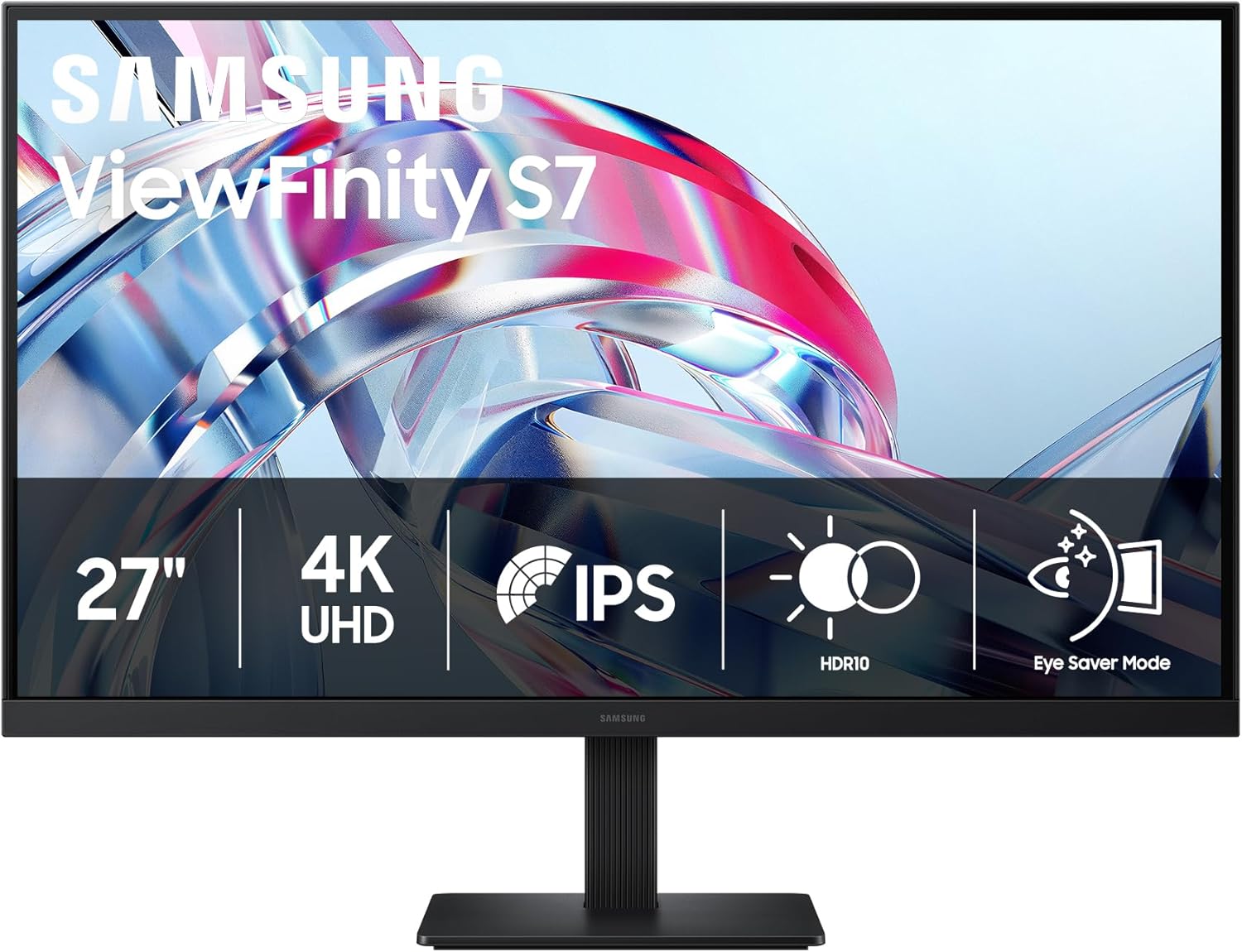
Samsung 27" ViewFinity S7 (S70H) High-Resolution MonitorThe Under-$200 4K Text Clarity Champion
Display Class: 27-Inch 4K UHD (3840x2160) · 163 PPI Ultra-Crisp IPS

Samsung 27" ViewFinity S7 (S70H) High-Resolution Monitor

Ergonomics & Ports: HDMI 2.0 & DisplayPort · TÜV-Certified Eye Care · Borderless 3-Sided Frame

Ideal Home Office Worker: Budget-minded remote professionals, writers, and analysts who demand crystal-clear 4K typography and eye protection without spending over $200.

✅ Productivity & Desk Strengths:
  • True 4K 3840x2160 resolution for less than $200—phenomenal price-to-pixel ratio
  • 163 PPI delivers clean typography with zero pixelation in small spreadsheet cells
  • TÜV-certified Intelligent Eye Care automatically adjusts brightness and color warmth
  • Flicker-free DC dimming eliminates late-afternoon eye strain
  • Ultra-thin 3-sided borderless bezel looks exceptional in dual-monitor side-by-side setups
⚠️ Tradeoffs to Keep in Mind:
  • Stand only tilts forward and backward (no height adjustment out of the box)
  • No USB-C connectivity (requires standard HDMI or DisplayPort cable)
Live Cross-Store Pricing Check:
Amazon
$199.00
Lowest Price

Ergonomic & Desk Setup Tip: Because the factory stand lacks height adjustment, pair this monitor with an affordable $25 VESA monitor arm to achieve the perfect eye level.

Why our scanner recommends this monitor: Getting a true 4K IPS panel from a tier-one display maker under $200 is one of the highest value display upgrades available in tech right now.

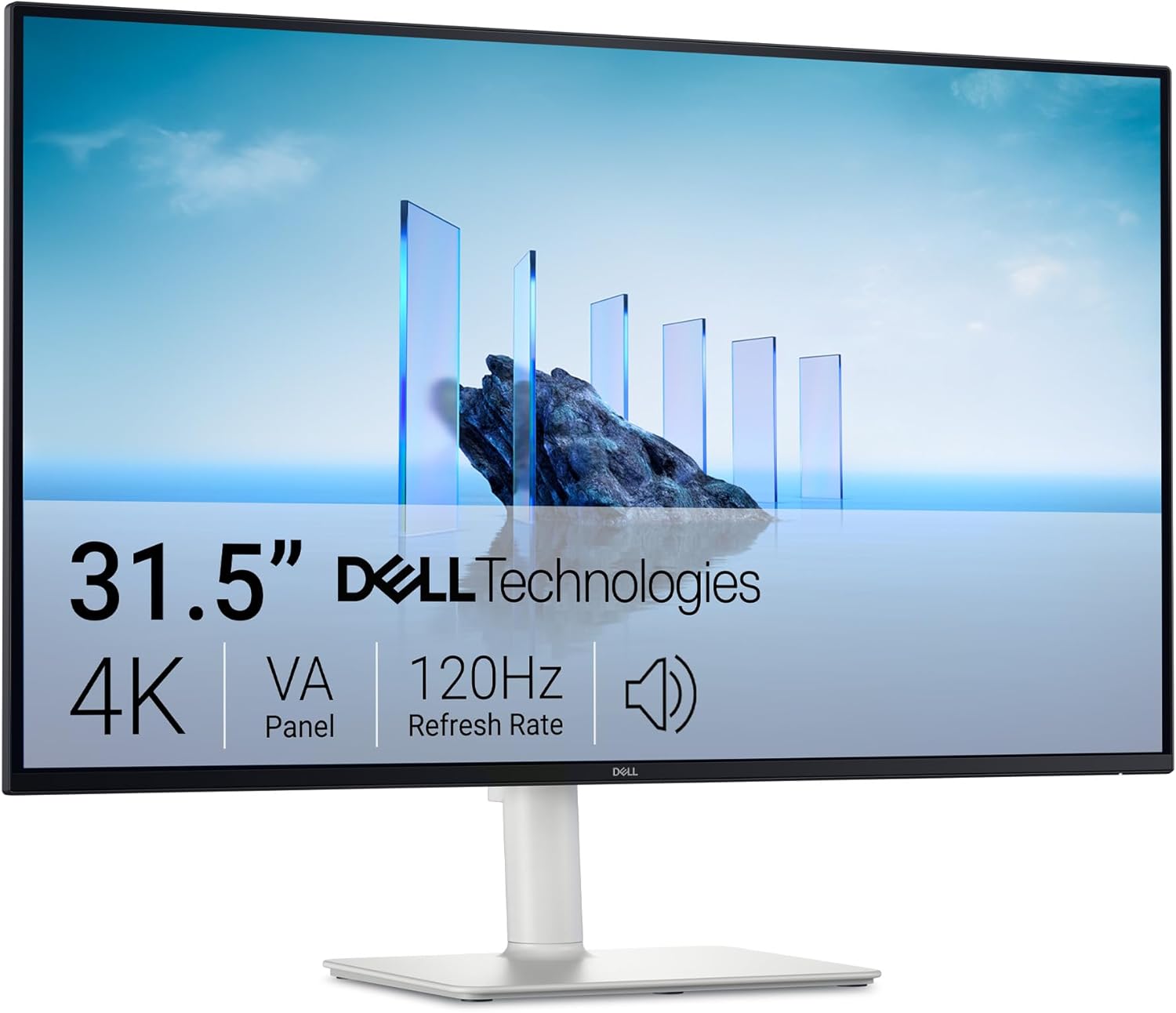
Dell 32 Monitor S3225QS, 4K UHD VA, 120Hz, FreeSync Premium, Eye ComfortThe 32-Inch Multi-Window Canvas
Display Class: 32-Inch 4K UHD (3840x2160) · 138 PPI Vast Spreadsheet Real Estate

Dell 32 Monitor S3225QS, 4K UHD VA, 120Hz, FreeSync Premium, Eye Comfort

Ergonomics & Ports: 4K 120Hz · AMD FreeSync Premium · Height & Tilt Stand · 4-Star Eye Comfort

Ideal Home Office Worker: Financial analysts, project managers, and power multitaskers who work with massive datasets, spreadsheets, and three concurrent applications simultaneously.

✅ Productivity & Desk Strengths:
  • Massive 32-inch screen comfortably displays 3 full-width documents side-by-side
  • 4K resolution at 32 inches allows comfortable 125% scaling with giant workspace area
  • 120Hz refresh rate keeps spreadsheets and cursor tracking fluid and responsive
  • Certified 4-Star Eye Comfort with hardware ComfortView Plus low blue light
  • Deep contrast ratio delivers dark, legible text against white spreadsheet backgrounds
⚠️ Tradeoffs to Keep in Mind:
  • Requires a larger, deeper desk (minimum 28 to 30 inches deep) to prevent neck strain
  • Heavier display chassis requires a sturdy desk
Live Cross-Store Pricing Check:
Amazon
$316.00
Lowest Price
Newegg
$379.97

Ergonomic & Desk Setup Tip: Sit at least an arm's length plus a hand (approx. 28 to 32 inches) away to comfortably scan across all three open windows without turning your neck.

Why our scanner recommends this monitor: Replaces messy dual-monitor setups with a single seamless, bezel-free 32-inch 4K screen, dramatically reducing visual clutter and desk cable clutter.

3 Ergonomic Rules for Your Home Office Desk Setup

  1. Align the Top Bezel with Your Eyeline: When sitting upright, your eyes should naturally rest roughly 2 to 3 inches below the top border of the monitor screen. Looking slightly downward (15 to 20 degrees) relaxes your eyelid muscles and reduces dry eye syndrome.
  2. The Arm's-Length Distance Rule: Extend your arm straight out toward the screen. Your fingertips should just graze the center of the display (roughly 22 to 26 inches for 27-inch screens; 28 to 32 inches for 32-inch screens).
  3. Practice the 20-20-20 Rule: Every 20 minutes of close-up screen work, look at an object at least 20 feet away for 20 seconds. This resets your ciliary eye muscles and prevents the late-afternoon focus fatigue common among telecommuters.