
← Browse tech deals
TECH DEAL COMPASS

Best Laptop Deals for Remote Work and All-Day Video Calls

Nothing kills remote work credibility faster than a grainy 720p webcam, muffled microphone audio, or a roaring laptop fan competing with your voice on Zoom. Yet thousands of professionals buy laptops based on gaming specs or raw processor speed, only to find the battery dies in 3 hours of back-to-back Teams calls and the keyboard causes wrist cramps by 3 PM. Video conferencing places unique, punishing demands on hardware: real-time camera encoding, microphone background isolation, Wi-Fi stability, and thermal efficiency. Here is the ultimate guide to the 5 hardware specs remote workers actually need, the biggest buying mistakes to avoid, and today’s best live laptop deals tailored for all-day video calls and productive telecommuting.

The Remote Work Reality Check: Why Standard Laptops Fail on Video Calls

When shopping for a remote work laptop, most buyers focus on generic specs like “Intel Core i7” or “1TB SSD.” But if your workdays are filled with 4 to 6 hours of back-to-back Zoom, Microsoft Teams, Google Meet, or Slack Huddles, traditional specs will mislead you.

Live video conferencing is one of the most punishing workloads for portable computers:

  • Real-time Camera Encoding + Decoding: Compressing 1080p video while decoding incoming participant video feeds burns intense sustained CPU/GPU power.
  • The Fan Noise Trap: On poorly cooled or thin gaming laptops, cooling fans spool up to jet-engine RPMs within 15 minutes, drowning out your voice with annoying screeching background hiss.
  • The 3-Hour Battery Drain: Streaming Netflix uses dedicated 4W media decoders. Video conferencing uses 14W to 20W across the camera, microphone, screen, network, and software encoding. A laptop advertised for “10 hours” frequently dies in under 3.5 hours on video calls!
  • The 720p Grainy “Potato” Camera: Washed-out colors, fuzzy details, and blown-out windows behind you immediately undermine your professional executive presence.

Here are the 5 non-negotiable hardware features every remote professional needs, along with today's best verified laptop deals.

The 5 Non-Negotiable Hardware Pillars for All-Day Video Calls

📷

1. 1080p FHD or 5MP Camera + Hardware NPU

Never accept a 720p webcam in 2026. Look for a 1080p (2MP), 1440p (QHD), or 5MP camera with temporal noise reduction. Even better, modern Intel Core Ultra, AMD Ryzen AI, or Apple Silicon chips have built-in NPUs (Neural Processing Units) that handle Windows Studio Effects (eye contact correction, background blur, and auto-framing) on dedicated AI silicon, keeping your CPU cool and fans silent.

🎙️

2. Dual/Triple Beamforming Mics with AI Isolation

Single microphones pick up every keyboard clack, barking dog, and siren outside your home office. Quality remote laptops feature multi-mic beamforming arrays that triangulate your mouth and use hardware-level acoustic noise cancellation to filter out background chaos so your colleagues hear only your voice.

🤫

3. Whisper-Quiet Cooling (Under 32 dB)

Heavy H-series gaming laptops and thin budget models run blazing hot during multi-participant Zoom calls with screen sharing. Choose laptops with efficient 15W–28W U-series processors, Core Ultra chips, or fanless Apple M-series silicon that maintain cool palm rests and keep fan noise under 30–32 decibels.

🔋

4. True 6+ Hour “Video Call” Battery Life

Don't trust manufacturer battery claims based on dim video playback. Video calls drain battery roughly 2.5x faster. Look for laptops with at least 54Wh to 70Wh battery capacities that deliver at least 5 to 7 hours of continuous live video conferencing, plus 65W+ USB-C Power Delivery for fast top-ups between meetings.

📐

5. 16:10 Anti-Glare Display & 1.5mm Key Travel

A 16:10 vertical aspect ratio gives you 11% more screen height to see your meeting notes, chat window, and presentation slides simultaneously without endless scrolling. An anti-glare matte coating (or 400+ nits brightness) prevents mirror-like window reflections, while 1.5mm key travel prevents hand cramps during 8-hour typing marathons.

5 Costly Traps Remote Workers Should Never Buy

  • 1. The 720p Webcam Relic: Even in 2026, some budget and gaming laptops cut costs by reusing ancient 720p camera modules. They produce dark, noisy, smudged video in standard home indoor lighting. Always verify the webcam spec explicitly says 1080p, FHD, or 5MP.
  • 2. Buying an Unnecessary Discrete Gaming GPU: Dedicated RTX GPUs consume extra idle power. When you share your screen on Teams or Zoom, Windows frequently wakes the dedicated GPU, cutting your battery life from 8 hours down to 3 hours and spinning up loud blower fans. Stick with modern integrated graphics (Intel Arc, Iris Xe, Radeon 780M, Apple M-series).
  • 3. Settling for 8GB RAM on Windows Remote Laptops: While 8GB works for simple browsing, a true remote workday involves having Slack + Microsoft Teams + Zoom + Outlook + 20 Chrome tabs + Excel open simultaneously. That easily consumes 9.5GB to 12GB of RAM. Always target 16GB or 32GB RAM for seamless remote multitasking.
  • 4. Laptops Without a Physical Webcam Privacy Shutter: For peace of mind between meetings, insist on a mechanical privacy slider or hardware kill switch. Never worry whether a meeting app is accidentally still capturing video.
  • 5. Proprietary Barrel Chargers: Avoid laptops that require bulky proprietary chargers. Insist on USB-C charging so you can charge your laptop, phone, and headphones with a single compact 65W GaN wall plug when working from a coffee shop or hotel.

Remote Work Feature Comparison: What to Expect at Each Price Point

Price TierWebcam & MicrophonesRAM & MultitaskingZoom Battery LifeAcoustics & Thermals
Under $600 (Budget Hero)720p or 1080p, Dual Mics, basic noise filter16GB DDR4/DDR5, 512GB SSD4 to 5.5 hours live callsSingle quiet fan, mild bottom warmth
$700 – $950 (Sweet Spot)1080p FHD or 1440p QHD + NPU AI Effects + Privacy Shutter16GB LPDDR5X, 512GB–1TB NVMe7 to 10 hours live callsWhisper-quiet or completely fanless (MacBook Air)
$1,000 – $1,500 (Enterprise Executive)5MP IR Camera + Windows Hello + Studio Beamforming Array32GB DDR5, 1TB NVMe, Win 11 Pro8 to 12 hours live callsEnterprise dual heatpipe, spill-resistant keyboard

Live Catalog Spotlight: Best Laptop Deals for Remote Work & Video Calls

Our price scanner monitors live inventory and discounts across Best Buy, Amazon, and Newegg. Here are the top-rated laptop deals engineered for all-day remote productivity right now:

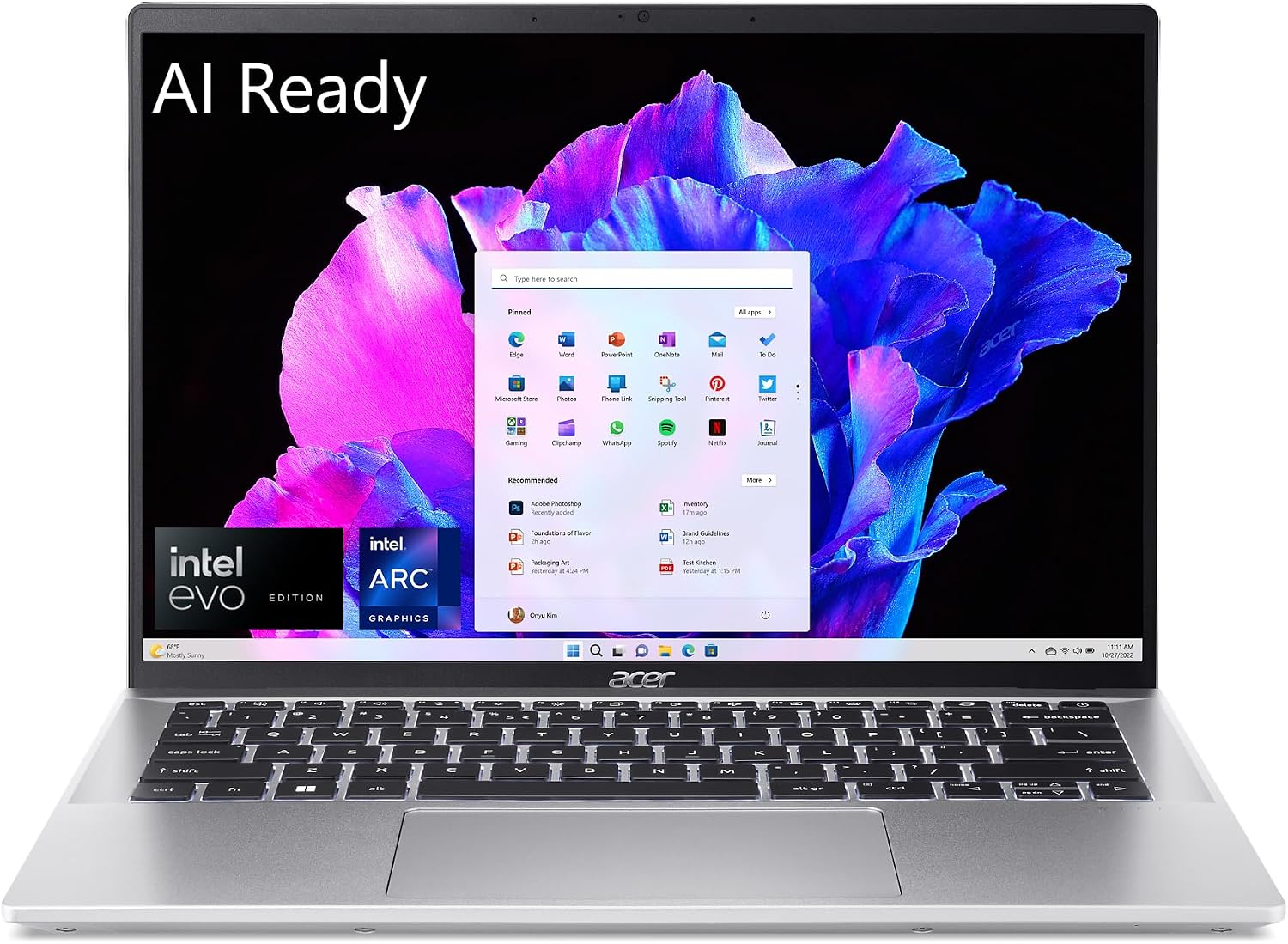
Acer Swift Go 14 Touch · Core Ultra 7 / 16 GB / 512 GBThe Overall Remote Work Sweet-Spot
Camera & Audio: 1440p QHD Camera + Intel AI Studio Effects + Dual PurifiedVoice Mics

Acer Swift Go 14 Touch · Core Ultra 7 / 16 GB / 512 GB

RAM: 16 GBCPU: Intel Core Ultra 7 155HStorage: 512 GB SSDGPU: Intel Arc Graphics

Ideal Remote Worker: Remote consultants, project managers, and digital professionals who want studio-grade webcam clarity, touch navigation, and premium aluminum mobility under $850.

✅ Video Call & Productivity Strengths:
  • Crystal-clear 1440p QHD webcam with temporal noise reduction
  • Dedicated Intel Core Ultra NPU handles background blur and eye contact with zero CPU load
  • Dual beamforming microphones with AI noise cancellation
  • Vibrant 16:10 touchscreen display with 100% sRGB color accuracy
  • Ultralight 2.9 lb aluminum chassis with fast 65W USB-C charging
⚠️ Remote Work Limitations / Tradeoffs:
  • Soldered memory cannot be upgraded beyond 16GB (plenty for office work)
  • Touch panel has slight reflective gloss; best used in moderate indoor lighting
Live Cross-Store Pricing Check:
Amazon
$815.00
Lowest Price
Newegg
$969.00

Battery & Thermal Profile: 9 to 12 hours of mixed office work; 6.5 to 7.5 hours of continuous live video conferencing. Dual silent fans remain below 30 dB.

Why our scanner highlights this deal: The Acer Swift Go 14 is one of the rare laptops in the $800 range to pack a true 1440p QHD webcam and dedicated NPU, giving you top-tier camera presence without needing an external $100 webcam.
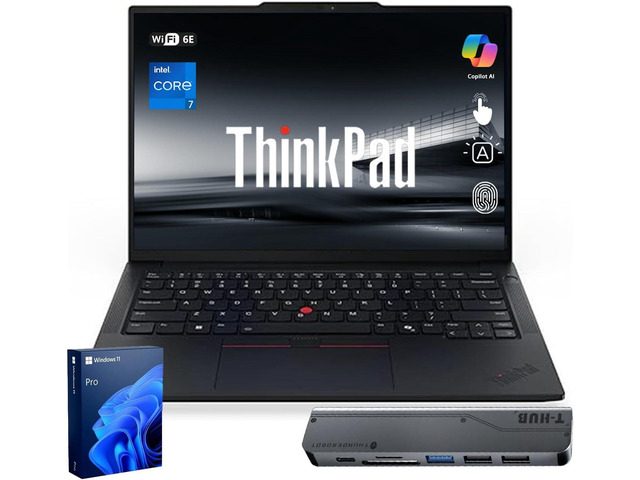
Lenovo ThinkPad T14 Business AI Laptop, 14" FHD+ IPS, Intel Core Ultra 5 225U, 32GB DDR5, 1TB SSD, Fingerprint, Backlit Keyboard, 5MP WebcamThe Enterprise Security & Ergonomics King
Camera & Audio: 5MP High-Res IR Camera + Privacy Shutter + Windows Hello + Dolby Voice

Lenovo ThinkPad T14 Business AI Laptop, 14" FHD+ IPS, Intel Core Ultra 5 225U, 32GB DDR5, 1TB SSD, Fingerprint, Backlit Keyboard, 5MP Webcam

RAM: 32 GBCPU: Intel Core Ultra 5 225UStorage: 1 TB SSDGPU: Intel Graphics (Integrated)

Ideal Remote Worker: Corporate executives, finance professionals, healthcare workers, and lawyers needing military-grade durability, Windows 11 Pro security, 32GB RAM, and legendary typing comfort.

✅ Video Call & Productivity Strengths:
  • Superb 5MP webcam with mechanical privacy slider and Windows Hello IR facial login
  • Industry-gold-standard ThinkPad keyboard with 1.5mm key travel and TrackPoint
  • Massive 32GB DDR5 RAM handles 60+ tabs, virtual desktops, and enterprise software
  • Windows 11 Pro with BitLocker encryption and Remote Desktop included
  • Matte anti-glare 16:10 display completely eliminates eye-straining office reflections
⚠️ Remote Work Limitations / Tradeoffs:
  • Higher enterprise price tag ($1,409)
  • Utilitarian matte-black ThinkPad design rather than flashy consumer styling
Live Cross-Store Pricing Check:
Amazon
$1,299.00
Lowest Price
Newegg
$1,409.00

Battery & Thermal Profile: Enterprise-grade cooling with quiet fan curves. Delivers 7 to 9 hours of heavy corporate multitasking and video calling.

Why our scanner highlights this deal: For professionals whose livelihood depends on typing speed, data security, and flawless video presentation, the ThinkPad T14 with 32GB RAM and 5MP webcam is the ultimate turnkey workstation.

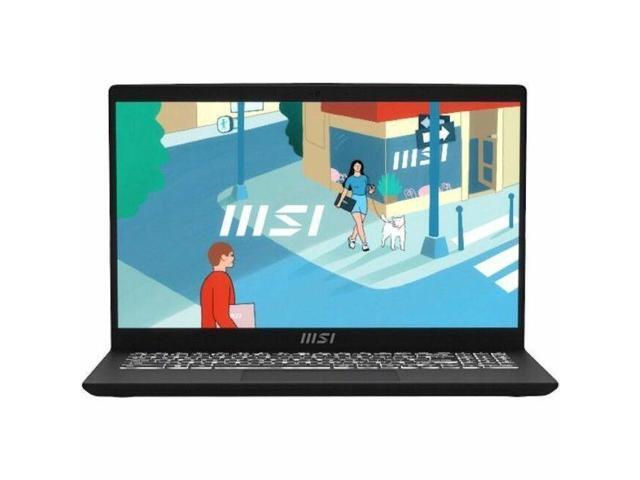
MSI Modern 15 15.6" Laptop - Intel Core i5-1334U - 16 GB - 512 GB SSD - Windows 11 Home (B13M-1097US)The Budget Productivity Hero (Under $600)
Camera & Audio: HD Webcam with Noise Reduction + Dual Array Microphone

MSI Modern 15 15.6" Laptop - Intel Core i5-1334U - 16 GB - 512 GB SSD - Windows 11 Home (B13M-1097US)

RAM: 16 GBCPU: Intel Core i5Storage: 512 GB SSDGPU: Intel Graphics (Integrated)

Ideal Remote Worker: Remote workers, accountants, bookkeepers, and students wanting a fast 16GB system with a dedicated numeric keypad on a strict budget.

✅ Video Call & Productivity Strengths:
  • Full 16GB RAM and fast 512GB NVMe SSD out of the box for under $600
  • Full-sized keyboard with dedicated 10-key numeric pad for Excel and data entry
  • 10-core Intel Core i5-1334U provides snappy multitasking across office apps
  • Spacious 15.6-inch display with lay-flat 180-degree hinge
  • Whisper-quiet single fan operation during standard office workflows
⚠️ Remote Work Limitations / Tradeoffs:
  • Webcam is standard 720p; works fine in well-lit rooms but benefits from a ring light
  • Plastic chassis construction compared to premium aluminum ultrabooks
Live Cross-Store Pricing Check:
Newegg
$599.00
Lowest Price
Amazon
$1,139.99

Battery & Thermal Profile: 6 to 8 hours mixed productivity; 4.5 to 5.5 hours continuous video conferencing. Single quiet fan that stays calm.

Why our scanner highlights this deal: Under $600 with 16GB of RAM and a 10-core processor, the MSI Modern 15 delivers reliable all-day remote multitasking speed without breaking your budget.

3 Zero-Dollar Tips to Make Any Laptop Camera Look 2x Better

  1. Face a Window, Never Put Your Back to One: The #1 reason laptop webcams look terrible is backlighting. If a bright window or lamp is behind you, your camera underexposes your face to compensate, turning you into a dark silhouette. Position your desk so you face the window, letting natural diffuse light illuminate your face.
  2. Elevate Your Laptop to Eye Level: Looking down at a laptop screen on a desk forces your camera to shoot up your nose with an unflattering chin angle. Place your laptop on a stand or stack of books so the camera is level with your eyebrows.
  3. Use Your Smartphone as an Emergency 4K Camera: If you ever need broadcast-quality video for a major client presentation or job interview, both Windows 11 (via Phone Link) and macOS (via Continuity Camera) let you wirelessly use your iPhone or Android phone as an ultra-high-definition 4K webcam with zero extra software required!