← Browse tech deals
TECH DEAL COMPASS

Best Desktop Deals for Light Creative Work (Photo Editing, Not Gaming)

Big PC retailers want you to believe that photo editing requires a $1,500 gaming rig with flashing RGB fans and a power-hungry graphics card. In reality, Adobe Lightroom, Photoshop, and RAW processors rely overwhelmingly on single-core CPU speeds, generous RAM, and fast NVMe scratch disks—not high-wattage gaming GPUs. Here is how to buy a desktop tailored for creative work without paying the gamer tax, backed by verified live deals from our catalog.

The Quick Take: Stop Paying the "Gamer Tax"

Big box retailers want you to believe that photo editing requires a $1,500 gaming rig with flashing RGB fans and a loud, power-hungry graphics card. In reality, photo editing applications like Adobe Lightroom Classic, Photoshop, Capture One, and Affinity Photo are overwhelmingly CPU-bound and memory-bound.

The Creator Sweet Spot: By skipping an overpriced 250W gaming GPU (RTX 4070/5070), you can redirect your budget into a 10-to-20 core processor, 16GB to 32GB of fast RAM, and PCIe Gen 4 NVMe scratch disks—getting a whisper-quiet, compact workstation for $600 to $1,000 that exports RAW files and renders masks faster than most bloated gaming PCs.

Where Your Money Actually Goes: The Photo Editing Resource Breakdown

Understanding how photo editing software uses hardware prevents you from wasting hundreds of dollars on components that sit idle while you edit:

Hardware ComponentRole in Photo EditingRecommended SpecificationWhy Gamers Overpay
Processor (CPU)Single-core burst drives brush/slider responsiveness; multi-core drives RAW batch exports and stitching.Intel Core i5-14400 / i5-14500 (10–14 cores) or AMD Ryzen 7 8700G (8C/16T)Gaming PCs balance CPU down to afford $500 GPUs; creators need the CPU power.
Memory (RAM)Holds uncompressed 16-bit RAW image buffers, undo history stacks, and Photoshop multi-layer files.16 GB DDR5 minimum; 32 GB for 45MP+ RAW files and panorama stitchingGamers spend on RGB light diffusers; creators need capacity and dual-channel bandwidth.
Storage DriveActs as Lightroom Camera Raw preview cache and Photoshop Scratch Disk during intensive filter operations.512 GB – 1 TB PCIe 4.0 NVMe M.2 SSD (3,500+ MB/s)Budget gaming PCs often cut corners with slow Gen 3 drives to afford flashy cases.
Graphics (GPU)Accelerates UI panning, AI subject/sky selection masks, lens blur, and 10-bit 4K monitor color output.Modern Integrated GPU (Intel UHD 770 / AMD Radeon 780M) or Entry DiscreteGamers buy 200W+ discrete GPUs for 144Hz 3D rasterization—completely wasted on 2D photos.
Acoustics & PowerQuiet editing sessions without jet-engine fan whine distracting creative focus.65W–90W thermal envelope, PWM silent fan curvesGaming PCs pull 400W–600W, heating up your home office during long editing sessions.

The Truth About GPUs in Lightroom and Photoshop

Does photo editing use the GPU at all? Yes, but not the way games do.

Adobe uses GPU acceleration for specific tasks: smooth zooming on 4K/5K displays, running Adobe Sensei AI masks (Select Subject, Select Sky), and applying Lens Blur. However, these features do not require a massive \$600 graphics card with 12GB of VRAM.

The GPU Benchmark Reality

Puget Systems benchmarks consistently demonstrate that jumping from an integrated GPU (like Intel UHD 770 or AMD Radeon 780M) to a $600 discrete gaming GPU yields less than an 8% to 12% difference in overall Photoshop score. In Lightroom Classic, batch exporting 100 RAW images is virtually 100% CPU-bound.

Where your money actually delivers speed: Upgrading from 16GB to 32GB of RAM and stepping up from a 6-core to a 10-or-14-core CPU cuts RAW export times by 35% to 50%.

Desktop Form Factors: Which Fits Your Workspace?

1. Traditional Mid-Tower

Large desktop case with full internal expansion slots.

  • Pros: Effortlessly add 2nd and 3rd internal high-capacity HDDs/SSDs for offline photo archives; whisper-quiet 120mm fans.
  • Cons: Takes up substantial floor or desk space.

2. Small Form Factor (SFF) / Slim

Compact enterprise workstations roughly 1/3 the volume of a tower.

  • Pros: Sits discreetly on your desk; abundant front-panel USB ports for SD card readers; commercial-grade reliability.
  • Cons: Limited internal drive bays; relies on low-profile brackets.

3. Micro / Tiny PC

Ultra-compact 1-liter chassis the size of a paperback novel.

  • Pros: Zero desk footprint; can mount behind a VESA monitor; draws minimal power.
  • Cons: No room for internal 3.5" hard drives; external USB SSDs required for archival.

4. All-in-One (AIO)

Complete PC integrated into the back of a 24" or 27" display.

  • Pros: Single power cable, clutter-free desk, built-in webcam and speakers.
  • Cons: Display cannot be upgraded independently when the PC ages.

Today's Verified Desktop Deals for Creators

Our deal engine continuously inspects cross-store pricing across Amazon, Best Buy, and Newegg. Below are top-performing desktop workstations configured for creative workflows without the gamer tax:

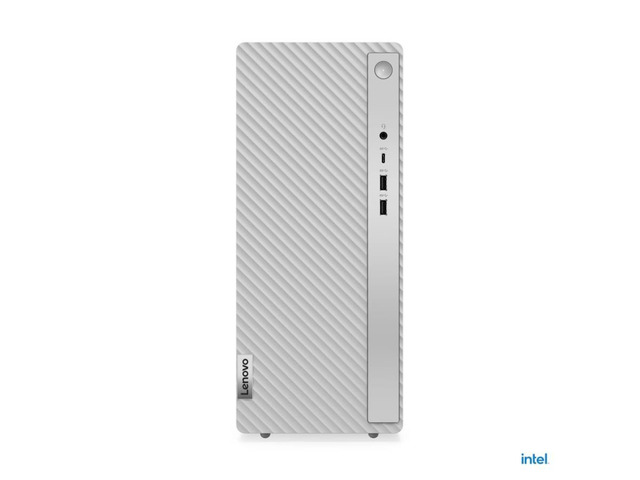
Lenovo IdeaCentre Tower 14IRR9 Desktop Core i5-14400 16GB DDR5 512GB NVMe SSD Wi-Fi Bluetooth Windows 11 HomeBest Overall Value Mid-Tower ($650–$750)
Workflow: Enthusiast photo editing, high-volume RAW storage, multi-drive expandability

Lenovo IdeaCentre Tower 14IRR9 Desktop Core i5-14400 16GB DDR5 512GB NVMe SSD Wi-Fi Bluetooth Windows 11 Home

CPU: Core i5RAM: 16 GBStorage: 512 GB NVMe SSDGraphics: Integrated graphics
Live Cross-Store Pricing Check:
Newegg
$679.99
Lowest Price

Why it fits photo editing: Features a potent 10-core Intel Core i5-14400 (6 Performance cores + 4 Efficient cores, 16 threads) paired with 16GB of high-speed DDR5 RAM and a fast 512GB NVMe SSD. The spacious tower case allows you to easily pop in secondary 4TB–8TB hard drives for lifetime photo archival.

Trade-off to know: Traditional desktop footprint that requires floor or dedicated desk space; integrated Intel UHD 730 graphics is tuned for photo work rather than 3D raytracing.
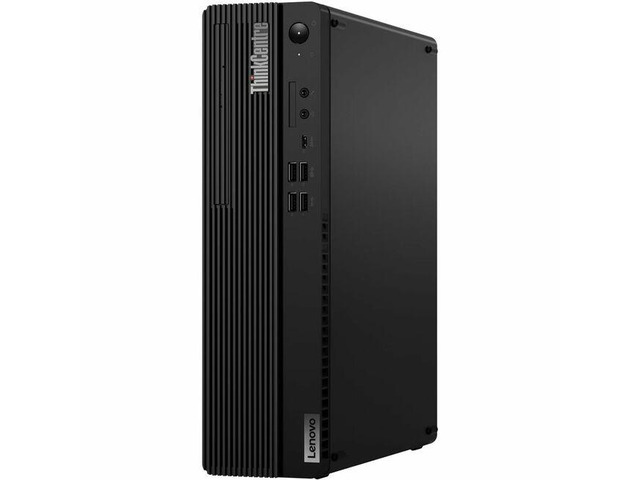
Lenovo ThinkCentre M75s Gen 5 12TA000KUS Desktop Computer - AMD Ryzen 7 PRO 8700G - 16 GB - 512 GB SSD - Small Form Factor - Black - AMD PROBest Creative APU / SFF Workstation ($900–$1,150)
Workflow: Lightroom AI masking, Photoshop neural filters, clean space-saving desk setup

Lenovo ThinkCentre M75s Gen 5 12TA000KUS Desktop Computer - AMD Ryzen 7 PRO 8700G - 16 GB - 512 GB SSD - Small Form Factor - Black - AMD PRO

CPU: AMD Ryzen 7 PRORAM: 16 GBStorage: 512 GB SSDGraphics: AMD Radeon Graphics (Integrated)
Live Cross-Store Pricing Check:
Amazon
$999.00
Lowest Price
Newegg
$1,147.00

Why it fits photo editing: Powered by AMD's revolutionary Ryzen 7 PRO 8700G processor (8 cores, 16 threads, Zen 4) with integrated Radeon 780M graphics. Delivers the strongest integrated GPU performance on the market, accelerating AI masking and canvas navigation without needing a dedicated graphics card.

Trade-off to know: Small form factor case limits internal hard drive expansion to one 3.5-inch drive; secondary long-term storage is best handled via external USB-C drives.

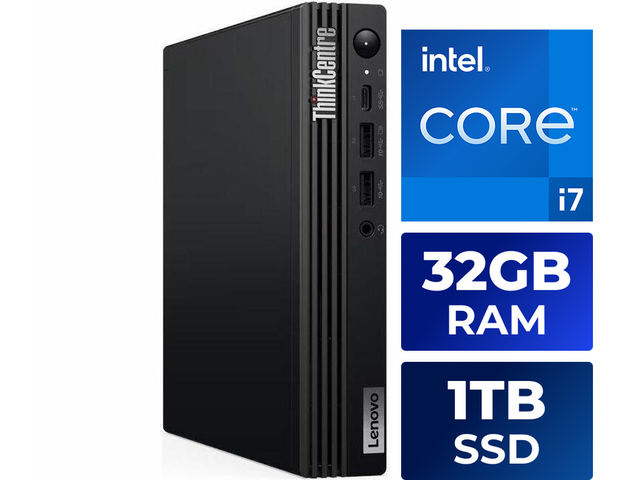
Lenovo ThinkCentre M70q Gen 5 12TD001SUS Desktop Computer - Intel Core i7 14th Gen i7-14700T ,vPro Technology ,DDR5 Memory ,32 GB ,1 TB SSD Best Compact Heavy-Lifter / 32GB RAM Micro PC
Workflow: Commercial RAW batch processing, 45MP+ Sony/Nikon files, zero-clutter desks

Lenovo ThinkCentre M70q Gen 5 12TD001SUS Desktop Computer - Intel Core i7 14th Gen i7-14700T ,vPro Technology ,DDR5 Memory ,32 GB ,1 TB SSD

CPU: Intel Core i7RAM: 32 GBStorage: 1 TB SSDGraphics: Intel Graphics (Integrated)
Live Cross-Store Pricing Check:
Newegg
$1,199.99
Lowest Price

Why it fits photo editing: A phenomenal 1-liter micro powerhouse packing an astounding 20-core Intel Core i7-14700T, a massive 32GB of DDR5 memory, and a 1TB NVMe SSD. Chews through massive RAW export queues while taking up zero desk real estate (can mount directly behind your monitor).

Trade-off to know: High performance density requires good ventilation; relies entirely on external storage or NAS network shares for secondary photo archiving.

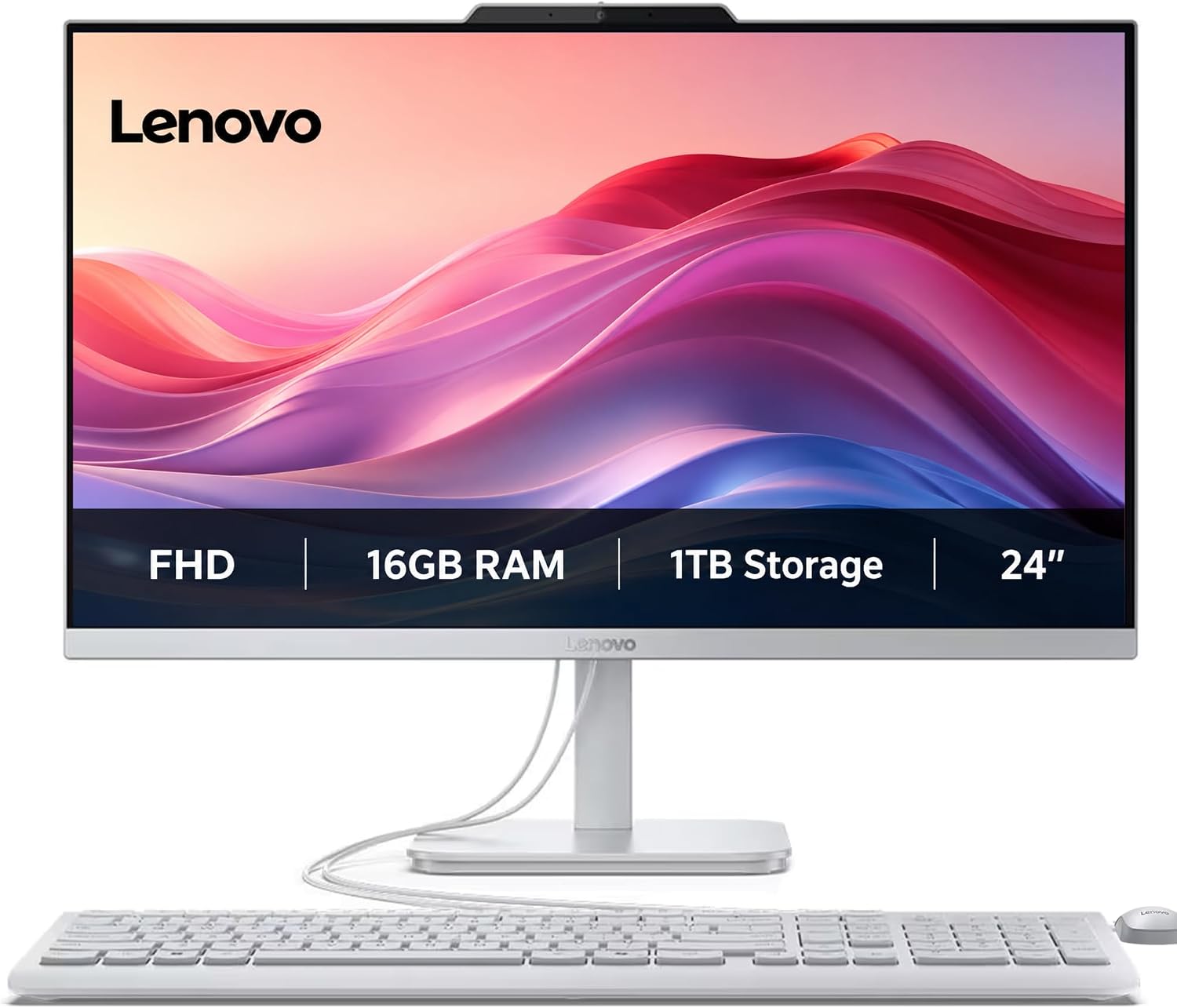
Lenovo IdeaCentre 24“ All-in-One, 16GB RAM, 1TB Storage, Intel 4-CoresBest All-in-One Creative Space Saver ($599–$699)
Workflow: Casual photo retouching, family photo archival, clean minimalist studio desks

Lenovo IdeaCentre 24“ All-in-One, 16GB RAM, 1TB Storage, Intel 4-Cores

CPU: CoresRAM: 16 GBStorage: 1 TB SSDGraphics: Integrated graphics
Live Cross-Store Pricing Check:
Amazon
$599.00
Lowest Price
Newegg
$949.00

Why it fits photo editing: Combines a crisp 24-inch Full HD display with 16GB of RAM and a spacious 1TB solid-state drive in a single sleek unit. Setup takes 60 seconds with a single power cord, offering great value for home studios and hobbyists.

Trade-off to know: Built-in display panel is fixed at 1080p and cannot be color-upgraded independently from the computer internals.

The Non-Gaming Creator's Red-Flag Checklist

  • 1. The Discrete GPU Surcharge: Never pay $300 to $600 extra for an RTX 4060 Ti or RX 7700 XT if you do not play AAA video games. That money is far better spent doubling your RAM to 32GB or buying a secondary 2TB NVMe scratch drive.
  • 2. Single-Channel RAM Landmines: Some budget prebuilt desktops ship with a single 8GB or 16GB RAM stick (1 of 2 or 4 slots filled). Single-channel memory cuts memory bandwidth by 50%, noticeably slowing down Lightroom preview generation. Always ensure dual-channel memory is configured.
  • 3. Spinning Hard Drives as Primary Drives: Any desktop using a mechanical 5400 RPM or 7200 RPM hard drive as its boot drive or active catalog drive will feel sluggish regardless of CPU speed. Insist on an NVMe M.2 SSD for the operating system and active photo catalog.
  • 4. Outdated Video Port Versions: Ensure the desktop's motherboard provides DisplayPort 1.4 or HDMI 2.0/2.1. Older HDMI 1.4 ports cap external 4K monitors at 30Hz or restrict color output to 8-bit, preventing smooth 10-bit color reproduction.
  • 5. Missing Front USB 3.2 Gen 2 Ports: Photographers constantly offload 32GB–128GB SD and CFexpress cards. Having to crawl behind a desktop to reach high-speed USB ports is a major daily frustration. Look for front-panel USB-C or USB 3.2 Gen 2 (10 Gbps) ports.

Pro Setup: 4 Day-One Settings to Optimize Lightroom & Photoshop

Once your new desktop arrives, tuning these four software preferences will maximize your hardware performance:

  1. Expand Camera Raw Cache: In Lightroom Classic → Preferences → Performance, increase the Camera Raw Cache from the default 5GB to 40GB–60GB on your fast NVMe SSD. This eliminates lag when cycling through images in Develop mode.
  2. Set Photoshop RAM Allocation to 70%: In Photoshop → Preferences → Performance, set Memory Usage to 70% of available RAM. This leaves sufficient headroom for Windows and background apps while preventing Photoshop from prematurely thrashing the scratch disk.
  3. Enable GPU Acceleration: Confirm that "Use Graphics Processor" is set to "Custom" or "Auto" with "Use GPU for image processing" checked in Lightroom preferences.
  4. Enable 10-Bit Color in Graphics Settings: If connecting to a wide-gamut (sRGB / DCI-P3) monitor via DisplayPort, open Intel Graphics Command Center or AMD Radeon Software and ensure color depth is set to 10 bpc (bits per channel) for smooth gradients without banding.